5 Examples Of eCommerce Push Notifications For Increasing Sales

The retail sector is moving fast towards an amalgamation of both offline and online experiences. Today, consumers switch seamlessly between physical and online stores. Customer journeys are integrated in such a detailed manner now, that the idea of online shopping being a distinct activity when compared to brick-and-mortar shopping, no more exists.

In fact, e-retail sales are expected to contribute to 17.5% of total retail sales worldwide. As the e-commerce industry continues to expand, the competition is growing at a fast pace too. Here are some eCommerce push notifications examples to increase your sales.

Examples Of eCommerce Push Notifications

1. Cart abandonment notifications

cart_abandonment_push-notification-example

If users visit the website, it means they are clearly interested in the products up for grabs. But since they have left the products in the cart and probably forgotten about them, it’s best to remind them. The fastest way to reach those people is via mobile phone.

Similarly, if they have opted to be notified of similar deals or offers while they are browsing through the website the first time, then browser push notifications can work their magic!

These notifications could be used to create a sense of urgency with messaging like the product is out of stock, a new ‘buy 1, get 1 free’ offer, etc. to make them come back and complete the purchase process at the earliest.

2. The FOMO notification

fomo_push_notifications

Frankly speaking, no one has the time to visit an eCommerce website every day and check the ongoing deals. Yes – email newsletters are a powerful tactic to inform the customers but they don’t initiate a quick response. Push notifications, on both desktop and mobile, can notify them of price drops instantly!

So if the brand is having a massive sale or is running a limited period offer, such notifications can literally give them the “push” required to turn their attention to the services you are providing.

3. The geo-location notifications

Such notification is sent to users in a certain geographical area to deliver a message that is relevant in terms of both time and place. For instance, in the image given below, the three brands sent messages to users stating the actual distance from the store in a bid to attract them.

Not only this, but the messages also contain loyalty points or a coupon code or a discount deal to instantly catch the eye of users.

4. The real-time updates

This works best if you take food orders online or run a similar business because then it becomes your responsibility to make sure your customers know where their delivery is! GrubHub.com provides free online food ordering service and informs its customers in the wittiest fashion ever!

Basically, GrubHub provides value by monitoring the delivery time of the order placed by its customers.

5. The search-incentive notification

Such a notification prompts the user to complete his first search started on a mobile app and thereafter, encourages using the search function. TripAdvisor, a travel website and mobile app, makes complete use of such a transactional push notification.

It encourages the user to finish a search he or she began on the TripAdvisor mobile app, by providing a heads up, such as a possible increase in prices of the apartments.

eCommerce Marketing Using Push Notifications in 2020

Growth is becoming increasingly difficult. Marketers across the globe are scouting for innovative methods and tactics to attract users. eCommerce marketing using push notifications is slowly hitting the mainstream, especially in e-commerce. This article talks about how marketers in retail are using this channel to drive business.

There are more than 1.7 Million eCommerce websites on the web today vying for attention. Woah! Yes, you are just like one of the stars in this never-ending universe. This is where the challenge actually starts.

eCommerce Marketing Using Push Notifications

Push notifications are succinct updates sent to the users even when they are not on your website. Due to its crisp approach, there is no beating around the bush, and information is shared in a jiffy. It helps to leverage geographical targeting and communicate in a timely fashion keeping time zones in mind.

Driving Marketing Using Push Notifications

1. Customize your communication

Customize your communication

Receiving a notification that seems tailor-made for the user, sparks interest and increases the chances of them landing on your website. The whole idea is giving them what they want. This becomes extremely easy after opting for User Properties and Events. Specific users can be targeted according to behavior and actions; to trigger a better response. For example, Limeroad sent the above notification only to Men, who showed an interest in purchasing T-shirts.

2. Season Sales / Occasion based

Season Sales Occasion based

Welcoming a new season is one thing no e-commerce business would want to miss. Inspire users with your web push messages to indulge in all the new season collection. You can encourage users to change their wardrobe this season, get a makeover, or impress them with your new dashing collection.

Festivals are a time when users splurge on shopping for relatives, friends, and themselves. An amazing opportunity to convert your users with interesting offers and discounts. You can also send out occasion-based notifications like company anniversaries, end of season sale by lacing it with offers they can resist.

3. New Collection Shout-Out

New Collection Shout-Out-push-notiofications

When you add a new collection, make sure you design your push notification campaign to do a great shout-out for all your users. Just like what Koovs did when they added fresh arrivals to encourage users to try something new. This builds curiosity, and the ‘Fear Of Missing Out’ syndrome will drive users to your website.

4. Flash Sales

Flash Sales

One of the best ways to create a sense of excitement and urgency is to try flash sales. Myntra sends notifications with offers that are time-bound. They also show what they will be missing out on if they do not make a transaction within the given hours. This prompts users to make an immediate purchase. These kinds of notifications will help you drive high traction to your website.

5. Announcements

Announcements

Inform the users about the sale you are going to conduct along with all the specifications so that they look forward to it. You can also encourage them to visit your website to take a sneak peek of what’s in store for them. It helps to build curiosity and excitement, encouraging users to visit your site during the sale.

5 Benefits of Push Notifications for Ecommerce

With rising competition, it’s tough to stand out. If you want to grow your business, you need to communicate with people in ways that they engage in.

Right now, push notifications for ecommerce is the best way to accomplish that.

More specifically, if you can combine personalization with push notifications, then your eCommerce business will be able to drive engagement levels in the right direction.

The Benefits of Push Notifications for Ecommerce

Here are five key benefits to using push notifications for your ecommerce store:

1. One-Click Subscription

They say the gold is in your email list, but people don’t give out their email address too easily these days.

The great thing about push notifications is that you don’t need to capture an email address. In fact, you don’t need any lead information at all!

People can subscribe to your web communications with just a single click. That means they don’t need to give over personal information, and you can gain instant subscribers with a single click.

It’s a win-win.

2. You Can Reach Thousands of Customers with Just a Single Click

By using push notifications, you can grab the attention of first-time visitors and casual browsers as soon as they arrive.

Offering them the chance to stay updated with the valuable content you’re providing without any need to give over their email address is a tempting proposition, and many people are willing to jump on-board.

This is a quick and easy way of building brand awareness. Furthermore, it takes very little time to create push notifications, especially compared to email.

3. Retarget Your Customers

One of the biggest challenges in ecommerce is dealing with abandoned carts. On mobile, these rates can soar as high as 97%, with online shoppers abandoning carts for all sorts of reasons, including:

  • High shipping costs
  • Hidden costs
  • A confusing checkout process

You could try cart abandonment emails. However, marketers are discovering that push notifications may be more effective, especially as they get higher open rates and click rates.

4. Remind Customers About You From Afar

Once people subscribe to your push notifications, you have a direct channel to communicate with them on their mobiles, even when they aren’t on your site or app.

There is no other marketing channel like this, making push notifications uniquely powerful in the hands of savvy marketers.

People can see your notifications on their mobile devices or desktop, and there is no need to open a mailbox to read or interact with it.

Studies by Responsys found 50% of mobile users subscribe to push notifications so they can gain access to special promotions and exclusive offers. Brands who offer time-limited deals can leverage the fear of missing out (FOMO) to lure users back to their ecommerce store.

5. Simple, Effective Brand Messaging

Here’s something you might not be aware of:

Online shoppers want to receive personalized content. They want brands to care more about them.

Personalized marketing is far more engaging now, and people will respond to content tailored to their needs and interests a lot faster than some meaningless, generic drivel.

The latter may actually turn people away, costing your subscribers and potential sales.

By personalizing your push notifications, you could boost open rates by around 400%. An easy way to put this into practice is by analyzing consumer behaviors and past purchases to serve up personalized product recommendations.

5+ Best Push Notifications Strategies For eCommerce

Did you know, your subscriber count can inevitably enhance your brand’s visibility in the online market and even drive more revenue? But, to get to that level and make your users to opt-in for push notifications, the road is often a rocky one with no clear direction sign-boards. So, how to go about it?

Here, in this post, we’ve compiled a list of smart opt-in push notifications for eCommerce marketing strategies with ample examples to help you get more subscribers through push messages and increase subscriber count. Do remember to A/B test and analyze your strategy using qualitative and quantitative tools to see what’s working best for your website and target audience.

Push Notifications Strategies For eCommerce

Mapping a User’s On-Site Activities and Other Actionables


To implement this smoothly, you can set unique actions to be taken before the opt-in appears. This is critical because your visitors need to realize the benefits of receiving your push notifications and the smooth experience they’ll get from your platform.

Finding the Best Pages to Launch the Opt-ins

Finding the Best Pages to Launch the Opt-ins

You’d want to analyze your buyer’s or reader’s journey to understand your best-performing pages that are likely to convert your website visitors into subscribers. These assortments of pages could have different push notifications advertising styles when it comes to triggering the opt-ins.

Writing Succinct Permission Messages

Writing Succinct Permission Messages

The message in your opt-ins tells your visitors why they should subscribe to your push notifications. What this means is that the copy must clearly convey the benefits of receiving your push alerts.

Using Other Communication Channels to Encourage Subscriptions

Web push notifications are becoming omnipresent in the digital realm. And, a side effect of this is that a visitor may spontaneously refuse a website to send them notifications or worse, simply ignore it.

But, when you give the right context and build anticipation about what your web push notifications will offer, you’ll see an increase in opt-in rates. Hence, we reckon that you use other channels to promote details of the benefits of subscribing to push notifications. The benefits may be quick updates, discounts, or the latest trends.

You may also add links or buttons within other communication channels for your subscribers to reach the opt-in landing page. Newsletters, social media, and email are a few channels you can use to divert traffic to this landing page.

Using the Right Buttons and Links for Opt-ins

Using the Right Buttons and Links for Opt-ins

There are strategic ways you can get more subscribers by using buttons and links, especially in your other channels of communication, like emails, newsletters, and reports. If you implement them wisely, you’ll see a boost in your subscriber count. Take the example below to understand this clearly.

Adding Call-to-Action (CTA) Buttons on High Traffic Pages

Your customers/readers are likely to land on every other page on your website, be it product pages or category pages. The homepage is where the majority of your traffic is pulled to. Hence, it’s recommended to have a plain header or footer opt-in on those pages.

Mastering the Exit Intent

Wait! Check This Out Before You Leave You’ve worked hard to bring visitors to your website. But over 90% of them exit without performing a desired task, like subscribing or buying something. This means that they have not engaged with your website sufficiently. This, in turn, is a lost opportunity. But, when you apply an exit-intent strategy and how engaging push notifications, you’ll see more subscriptions and less bounce rate. Let’s explore this further!

Exit-intent technology identifies the perfect moment when a visitor is about to leave your website and launches a pop-up. You can set the pop-up to contain a discount, voucher, or an enticing offer, exclusive to new subscribers.

What Are Push Notifications?

What Are Push Notifications?

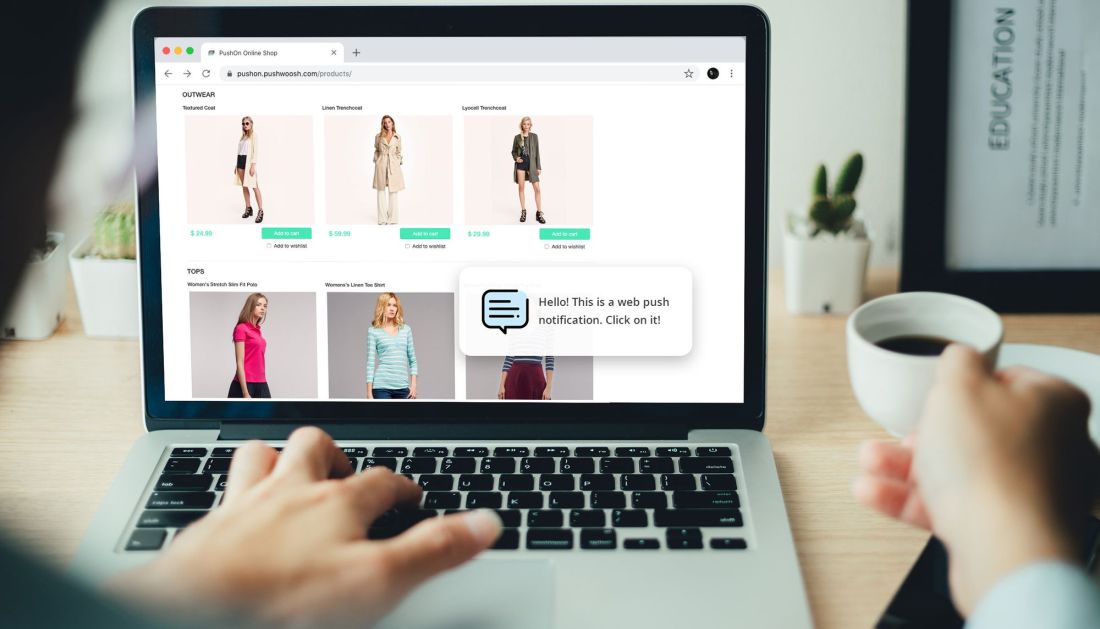
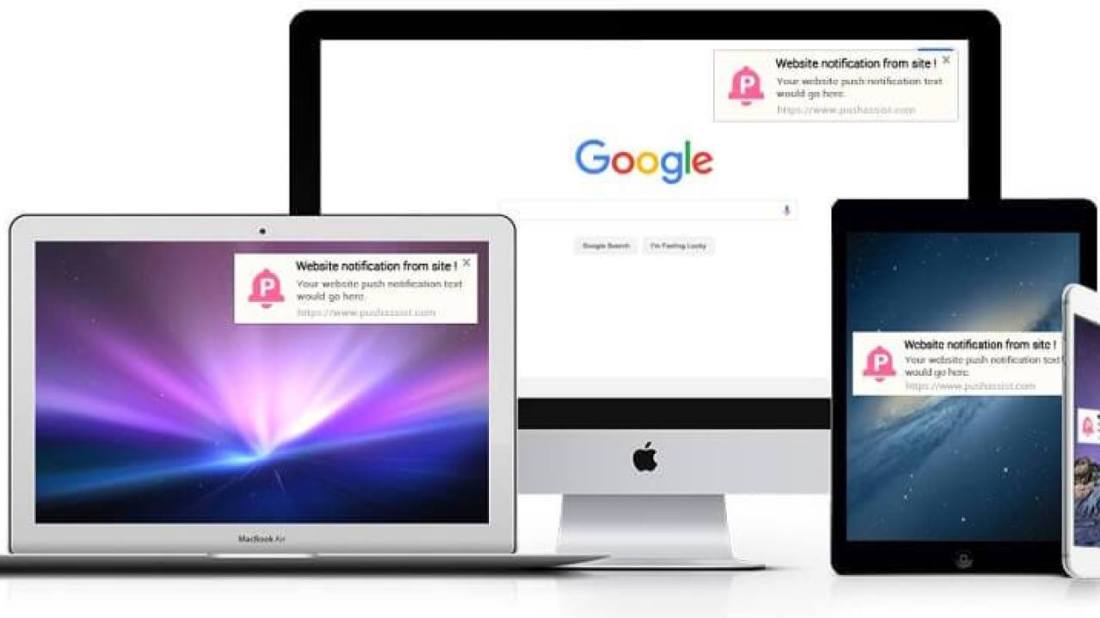
Push notifications are clickable pop-up messages that appear on your users’ browsers irrespective of which device they use or which browser they are on. Subscribers can be anywhere on the browser and still receive these messages as long as they are online or have their browsers running on their devices.

Browser push notifications are different from in-app notifications because in-app notifications appear only when triggered by an existing application on your mobile device, while browser push notifications can be triggered through browsers on any device as long as the user subscribes to receive your notifications. It is an instant mode of automated, direct communication between a website and its end users.

The digital marketing channel of online push notifications is newer than most existing channels. Even though it has gained significant momentum over the last few years, there is still a wide gap in strategic implementation between this newer method and others. Marketers are still discovering use cases for push notifications, but it has been observed to increase repeat visits, user retention, and re-engagement. This guide will tell you all that you need to know about push notifications.

Types Of Push Notifications

There are three types of push notifications – Web Push Notifications, Desktop Push Notifications, and Mobile App Push Notifications. Let us now look at each of these in detail:

1. Web Push Notification:

With web push notifications, you can send alerts on mobile as well as desktops even when users are not on your website. With zero installations required, users simply need to give their consent in a single click to receive notifications. Web push notifications can be sent to users without the need to build an app as they are sent directly to their browsers. These notifications are mainly used by marketers to increase website engagement and encourage visitors to keep coming back to their website, thereby increasing conversions. It’s fairly easy to build web push notifications for your website and can be done even by those with little or no technical background. This is what makes web push notifications such a handy tool for marketers.

2. Desktop Push Notifications:

Unlike web push notifications, desktop push notifications appear only on your users’ desktops. These notifications are driven mainly by the products that you have installed on your desktop, with the aim of driving customer engagement. Desktop push notifications are fairly difficult to build when compared to web push notifications and require developer’s help.

3. Mobile App Push Notifications:

Like desktop push notifications that are triggered by a product you have installed, mobile app push notifications, too, are triggered by existing/downloaded applications on your device. These notifications are crafted and sent with the aim of increasing customer engagement. Mobile app push notifications, like desktop push notifications, are fairly difficult to create when compared to web push notifications and require developer’s help to be built.

Are Push Notifications Helping or Hurting Your Site?

Web push notifications can present an enormous opportunity for marketers to connect with their target audience — if they are used effectively. Statistics show that they have an 80% market reach, based on the number of browsers supporting web push, with click-through rates typically seven times higher than email marketing, and opening rates 50% higher than email too.

However, the use of web push notification still has people divided. Some users like receiving useful, informative updates about a company they subscribe to; others find that it ends up negatively impacting their overall user experience if a company fails to use them correctly.

So, how can you navigate this fine line as a webmaster and effectively communicate with users who visit your site? In this guide, we are going to take an in-depth look at web push notifications, and look at the most effective ways you can optimize them to increase customer engagement with your brand.

It is important to remember that there are different types of notifications users can receive. For example, ‘web push notifications’ and ‘push notifications’ are not referring to the exact same thing. Let’s quickly go over defining them:

  • Web notifications: are notifications that the user only receives if they have that web page open in their browser
  • Web push notifications: users subscribe to receive notification updates in real-time on their browser via desktop or mobile with no need to download and install an application. A web push code is installed on your website without needing an app.
  • Mobile app push notifications: sends notifications through a mobile app to users, which appears on a user’s mobile via the lock screen, banner, or status bar. It is possible to send these to users if they have installed your mobile app and chosen to opt-in to receive messages. These are sent to users via code that has been installed on your app.
  • In-app push notifications: these notifications appear while a person is using the app, typically providing advice to help improve the user’s experience.

Types of Web Push Notifications

Broadly speaking, web push notifications will fit into one of the following kinds of web push notifications:

  • Trigger-based web push notifications: These are notifications that are sent to the user and are based on the previous actions performed by the user on any site. For example, these are commonly used for abandoned shopping carts.
  • Alert-based web push notifications: Aims to inform the user of a specific event or update
  • Segment based web push notifications: These are messages sent based on a subscriber’s certain characteristics, such as their purchasing behavior or geographical location.

Looking further into web push notifications, these messages typically fall into one of these categories:

  • Promotional: These notifications aim to promote special offers or price drops to drive conversions, such as, “Our biggest ever sales start this weekend.”
  • Educational: The aim is to educate users about your products or services such as, “Don’t miss out on the conference of a lifetime.”
  • Transactional: Transactions related to the company, such as purchase, shipping, and delivery. For example, “Your order is on its way.”
  • Lifecycle: This may be to welcome new or returning users to the site. For example, “Our welcome gift to you – free delivery.”

The Elements of a Successful Web Push Notification Strategy

Simply creating web push notifications does not automatically make them an excellent marketing tool. To create a successful web push notification strategy, you need to carefully craft the message you want to send out beforehand. Here are some of the most common factors that make a web push notification strategy great.

Timing is Important

Don’t make the common error of sending web push notifications that do not take into consideration your subscriber’s timezone. Make sure you understand where your subscribers are located and schedule notifications based on the time zones they reside in, to ensure you reach them when they are active on their devices.

Equally, consider that some types of notifications will work better at certain times of the day. For example, in research carried out by VWO Engage, the time people prefer receiving them is in the morning (38.66%) or at the weekend (38.38%). Test out the best times for your audience segment to see what works best.

Compelling Content is Key

Always keep in mind your target audience when crafting your web push notification content. Keep it clear and concise, and avoid using jargon at all costs. The message should be persuasive and clearly indicate what the message is about and why users would benefit from clicking on it.

Use Personalized Suggestions

The personalized approach is vitally important, as it can help to foster brand loyalty amongst subscribers and boost reaction rates by four times as much (source: Accengage). This approach works well amongst your less engaged subscribers, too, as you can send personalized follow-up messages to them.

Do make sure the message is relevant to the user, and be sure to make the most of customization and segmentation features available through web push notifications providers.

Segmentation allows you to send specific notifications to the right segment, and with average click-through rates of those targeted campaigns being 1.5 to 2 times higher than results without them (source: Gravitec) it is definitely worth it.

Create a Sense of Urgency

Do create action-oriented content, as this will increase the likelihood of conversions, but create a sense of scarcity or urgency when doing so. For example, you should give subscribers a limited amount of time for action to be taken — you would rather have them visit site the site now and invest rather than put it off until later and forget.

Don’t forget that CTA buttons improve campaign results by approximately 40% (source: Gravitec).

Do Not Inundate Subscribers with Messages

Don’t send too many web push notifications to your users, as this can lead them to start tuning out of notifications you send, or even worse, it will cause them to opt-out entirely. 62.75% of subscribers and 73.47% of users polled by VWO Engage said that too many notifications would be crossing the line into spam.

Avoid Sending Too Few Notifications 

While the exact frequency will depend on your audience and industry, make sure your subscribers are adequately engaging with your brand. If you send too few notifications, subscribers may forget why they subscribed to you in the first place and may opt-out.

To avoid this, make sure you fully understand your buyer persona, their lifestyles, and their needs so you can determine how often notifications should be sent for maximum levels of engagement.

Use Rich Push Notifications

Rich push notifications allow marketers to convey their message through images, emojis, audio, GIFs, or video and can be successful in incentivizing users to engage with content. Data collected by Forrester reveals that only 8% of marketers use rich push notifications, yet research by Airship shows the huge opportunity for driving engagement to your site — they can increase direct open rates by 56%.

Use Emojis with Caution

Emojis can be effective in increasing CTR for web push notifications, but your industry will largely determine how successful these will be, so think carefully as to how you use them.

Data carried out by Clever Tap revealed that recreational industries are those who saw the biggest decline in CTR by adding emojis were entertainment and events (54%), travel and hospitality (12%), and health and fitness (4%).

Conversely, and perhaps surprisingly, the top 3 industries that saw an increase in CTR when using emojis were business and finance (128%) retail (111%), and the utilities and services sectors (115%).

Conclusion

Web push notifications still remain a largely untapped marketing channel, but this may present an excellent opportunity for your brand to use them to stand out from competitors if you use them in an efficient manner.

Use Web Push Notifications to Boost E-commerce Sales

If you’re already up to the task of building a list of subscribers who’d like to receive web push notifications, you might be wondering what kind of messages will keep users engaged? Below are a few ways to maximize user engagement with web push notifications.

Web push notifications are one of the easiest ways to bring users back to the website once they leave. Got a great offer? Discounts only for the next couple of hours? Be ready for an instant hike in traffic after sending a web push notification to all the opt-ins. It is a great way to retarget the users because of two reasons,

  • It demands less commitment from users to opt-in. Clicking “yes” is always easier than submitting the email id. This makes web push notifications preferable over emails.
  • Let’s be honest, retargeting is expensive. You don’t even know if your visitor wants to see you again. With voluntary opt-ins, you could be sure of user willingness to see your messages.

Leverage Push Notifications to Boost E-Commerce Sales

There are three main strategies to maximize the impact of web push notifications to increase sales.

1. Broadcast

We see many companies adopting an email newsletter- type mindset to send web push. Send a few web push notifications every day and send them to everyone.

There will always be some percentage of people who click. The question is how well does it work compared to alternatives. Much like emailing all recipients on the distribution list of your newsletter, it works. Some percentage of people will always respond. However, with web push notifications, you’re only tapping into a part of what’s possible.

2. Targeted Broadcast

Targeted Broadcast moves you toward more thoughtful messaging. The goal is to push more messages out to more subsets of your audience. Push political news to those who read political news stories vs. lifestyle. As you become more relevant, you add more value to the user in push messages which pays back.

My best advice to hone in on relevancy is to “think one layer deeper.” What I mean is think about getting someone to your site. That’s layer one. Once they click into a section or category that’s layer two. Here considering one layer deeper means focusing on layer two. Create user profiles and don’t send users a Sports news alert if they visit the Travel category 20 times in the last three months. Sports Cafe, a sports website in India uses web push notifications in a very targeted way.

3. Auto-triggered

This is where we see the leaders of the web push experimenting and generating the highest possible response rates, providing the most value.

Web push messages which are auto-triggered based on an individual’s behavior are more relevant and hence, garner higher click-through rates. Any web site that has created a series of steps for a user to walk through has the opportunity to re-engage them in a personalized way if they fall out of the process halfway through. Media and publishing companies with premium subscription services and e-commerce companies with a standard purchase process can take significant advantage of knowing who the person is, at which step in the purchase process they dropped off and can message them on how to quickly jump back in and complete purchase easily.

4 Use Cases Of Web Push Notifications

The proliferation of smartphones and the explosion of application usage have created a phenomenal opportunity for marketers to adopt and implement personalized push notification messaging strategies.
Mobile apps and push notifications can have significant implications for sales.
Research shows that 29 percent of U.S. consumers have made purchases from mobile devices, and Bank of America data shows there will be $67.1 billion in revenue from smartphone and tablet retail purchasing by European and U.S. shoppers in 2015.
So, the time has arrived to deliver truly personalized messages to mobile devices in an effort to increase sales.  There are four different use cases for personalized push notifications, each offering a unique opportunity to reach consumers in real-time via their mobile devices.

Use Cases Of Personalized Push Notifications

Event-triggered messaging

Through mobile app usage, marketers have the ability to really learn about their customers and connect with them on a personal level.
Mobile app user events such as birthdays, upcoming expiration dates (product release, deals, promotions, or other events potentially selected in a preference center) and shopping cart abandonment can all play into the marketers? hand.
Wishing customers a happy birthday through their mobile device or simply sending a reminder about expiring services will show interaction on a more personal level.
Cart abandonment marketing messages specifically can serve as one of the most financially beneficial event-triggered notifications sent to customers.
Research shows 56 percent of abandoned carts were done so because the consumer was not ready to purchase at that moment in time, but wanted to save the cart for later.
While cart abandonment messages have traditionally been sent via email, push notifications are a great way to reinvent this classic remarketing technique and offer another touchpoint.
Marketers can send push notifications to individuals who have? abandoned? shopping carts as a reminder, and redirect them to an in-app page where they can complete their order in seconds.

Transactional messaging 

Examples of transactional messages include order confirmations, shipping, and delivery notifications, welcome emails, and password reset links.
Smart marketers not only include the pertinent transaction information (e.g. order details), but also provide product recommendations based on what similar consumers have purchased or other relevant offers.
According to Epsilon?s Q3 2011 North America Email Trends and Benchmarks Results report, transactional email messages generate an average open rate of 42 percent, highest among all message types, and an average click-through rate of 8.9 percent, second only to editorial emails.
Like event-triggered messages, transactional messaging strategies can be supplemented with mobile push notifications.
For instance, a brand could send an order confirmation notification that redirects customers to an in-app page where they can review order details and receive recommendations on what other people bought.

Promotional marketing 

Offering deals and promotions to consumers is one of the most basic forms of marketing.
Thanks to mobile apps and personalized in one-on-one pushes, marketers now have the opportunity to bring these promotional messages to the next level.
For example, an online purchaser could show trends of specific behavioral habits. By leveraging this information, the marketer could push a promotional message with special offers or bargains specific to her preferred? as identified through online behavior tracking or a preference center? product category.
Marketers do not need to worry about being invasive with these messages, as research shows that 43 percent of smartphone owners are open to receiving in-app promotional messages at least once a week, and an additional 11 percent once a month.
By studying customers? online behavior and preferences, marketers can offer promotional messages that will pique their interest with hopes of converting a sale.

Geo-location 

Building further on promotional offers based on customer behavior and preferences, mobile now arms marketers with the opportunity to use physical location as a parameter to trigger messages.
With the help of geolocation services, foursquare, or Facebook check-ins, marketers can set a perimeter around a location, that when entered, will trigger a message to the mobile user in that area.
Nearly half (47 percent) of mobile consumers want retailers to send these messages, including coupons and promotions, when they are in or near a brick-and-mortar store.
This provides marketers the opportunity to deliver messages that will potentially drive sales to willing mobile device users who are in the right place at the right time.
Such techniques could help brick-and-mortar retailers combat the showrooming trend.
Mixing mobile marketing efforts with social data can create the perfect personalization potion for marketers.
Event-triggered, transactional, promotional, and geo-targeted messages are four great opportunities for marketers to use push notifications to capitalize on mobile device users? willingness to interact with brands that take the time to personalize messages.
So do not miss out on the chance to connect with on-the-go customers on a personal level.

14 Credible Ways To Use Wigzo Web Push Notifications (and what not to do!)

We can’t help but emphasize the importance of using web push notifications to improve customer engagement and retention rate of your business. In the last 6 years, there’s been a spike in the interest to apply the push strategy from firms of different sizes and from different industries.

While push messaging was originally associated with the mobile medium, the strategy gradually trickled down to the browser. Today, push notifications deliver 50% higher open rates than emails. And that’s pretty cool because businesses shouldn’t have to wait for the prospective buyers to open and read their emails.

The businesses should be able to engage with the target market even if the latter is not present on the website. That’s the beauty of push notifications!

Wigzo’s “push” helps clientele achieve higher engagement rate

While emails and social media are still important tactics to stay in the purview of the customers, they are no longer the most effective ones. Even though the push technology seems a bit distracting, it has been able to catch the attention of consumers and convert them into loyal buyers.

1) Inc42 makes use of web push notifications to be able to interact with their website visitors regularly. Wigzo was able to give a boost to Inc42’s average daily visitors and achieve an average CTR of 18%!

2) With the help of Wigzo’s smart segmentation technology, eCommerce store Mr. Button is able to track user interaction and tailor the push messaging accordingly.

If you are still unsure about how Wigzo can help your business amp up its customer engagement level, learn of these new ways in which you can:

1. Recover abandoned shopping carts

If you are an eCommerce firm, then this is perhaps the biggest issue you will ever face! It is really hurtful when the almost-customer suddenly decides to leave a loaded cart behind and move on. With a push message, you can create a sense of urgency to bring him or her back on the website and to complete the purchase process.

2. Send time-sensitive price alerts

Not all of us shop on a whim. We wait for the right deal or a flash sale to shop like a boss! So if the price of a product – that a consumer previously showed interest in – dropped, make sure (s)he hears it from you first through push. After all, who wants to miss out on a deal? This is all but a tactic to nudge them to make interaction on the website.

3. Notify subscribers about an ongoing sale

You may run different discounts for different products. Whether it an end of season sale or a limited period discount – make sure you catch the attention of your consumers before their focus shifts on some other online store. A real-time notification and they will get instantly hooked!

4. Offer location-based tips and discounts

This is a form of hyper-personalization, and will surely bag you a quick conversion. If your website also has a physical store and the prospective buyer happens to be in the vicinity, shoot a quick message to nudge an action from him or her.

5. Re-engage inactive customers

The market is literally spoilt for choice. And consumers today like to hop from one online store to another. So it isn’t surprising to search for a hack that can help you re-engage with such dormant buyers. Pique their interest by sending a notification around a referral program you have started or any other offer that may add value to them.

6. Validate your customers

Just because the consumers have created an account or shared contact details on your website doesn’t mean you take them for granted. Validate their actions by sending a small “thank you” push notification or best – offer them sort of a discount. They would dig that!

7. Leverage social proof

Consumers can be a little hesitant to take the plunge and buy something online. But you can resolve that with the push technology. Show them how many other consumers have bought the same product or how happy they are with your services. A little social proofing goes a long way!

8. Cross-sell and upsell

If your consumers have already chosen a product, don’t let that stop you from increasing the average order value. Give recommendations. Entice with them an add-on (cross-sell) or show them an upgraded version of the product chosen (upsell).

9. Keep the customers informed of their purchases

Once they have ordered a product, make sure you keep them informed about its shipping details through real-time push notifications. That would take some burden off their shoulders!

10. Retarget product or service drop-offs

This kind of messaging is apt for those consumers who put the products in the cart but leave the checkout process mid-way. As they still haven’t left the website, it gives you an excellent opportunity to send a reminder about the cart.

11. Send “back-in-stock alerts”

Your consumer excitedly came to your website to buy a specific product but found it to be out of stock. Don’t let that be the end of it. Once the product is restocked, send a push message updating him or her about the same.

12. Recommend products

So you noticed a consumer checking out a range of sci-fi novels on your eCommerce store. You can pop-up and recommend sci-fi non-fiction that would interest him. Consumers are lazy by nature. If you do a majority of the homework for them, they would love you!

13. Ask for customer feedback on product delivery

Getting feedback is an old-age marketing tactic but it works well because it makes the customers feel important. So once the order has been delivered, send a push message asking for a “token of affection”.

14. Inform about reward loyalty programs

This is a slightly targeted tactic. Make a list of long-standing customers and send them a notification – thanking them for being loyal and offering a credit of $10 or so to show your gratitude! They would hop to your website in a flash!

The Don’ts consider using Web Push Notifications

An effective Web Push Notification campaign can easily outperform Email Marketing and other sorts of campaigns, that is if executed well. After having done some discussion on the ‘Do’s’, here are some ‘Don’ts’ that you must keep in mind when dealing with Web Push Notifications:

  • There isn’t a good idea to get too greedy. If you are too frequent with sending notifications to your customers, close to a 10% users decide to opt-out solely for that reason. Instead, it is more relevant for you to send more contextual notifications based on their behavior and interests and your engagement rate is bound to go higher.
  • Relying on native opt-in prompts? Well, you shouldn’t. Although you might witness a higher opt-in rate initially this will only result in a high amount of churn.
  • If you are keen on using the native prompt, the better and more effective idea would be to build a custom prompt that pops-up right before the native prompt. This will result in better communication of your brand. Even if a user decides to deny it, a custom prompt will enable you to ask again later.
  • It is important to remember the purpose of push notifications. Basically, push notifications are meant to drive users to click and engage with your business. Therefore, the platform isn’t really ideal to explain your customer about detailed and finer points that you have to offer. Instead, link a landing page where your offers are more explained. Remember, the best performing notifications are usually the ones that have catchy titles, precise descriptions, and vivid images.

Over to you

Frederic Voyer, CEO, Swaaap.com aptly puts it right: “Push notifications have been a main factor to ensure that the users in our community are engaged and actively interacting with each other to meet each other’s business needs.”

So what are you waiting for? Get up and get going!