5 Ways Personalization and Segmentation Are Changing Email Marketing

In years past, personalization and segmentation may have been optional, but no more. In 2018, marketers have to meet expectations and that means creating relevant, personalized messages that subscribers want to read.

Research shows marketers lean on email marketing to create a personalized experience for customers, compared to other options:

MarketingCharts email personalization chart

There’s no question, there’s a lot of power behind personalization and segmentation.

1. Increased revenue through advanced segmentation

Segmenting email contacts into specific groups can give your bottom line a boost. Marketers have noted a 760% increase in revenue from segmented campaigns, according to Campaign Monitor research.

Why does segmentation impact revenue? Grouping contacts by location, gender, age, job title, or buying history, gives you the opportunity to send emails that are more in-tune with what subscribers are interested in. As a result, subscribers are more apt to open your emails, click through, and convert.

For continued success, segment your segments. Start breaking your segmented lists into even smaller groups. For instance, take your ‘female customers’ list and create a list of ‘VIP female customers’ that buy from you regularly.

2. Better engagement through self-segmentation

Customers are embracing the idea of self-segmentation too. Rather than segment email contacts yourself, why not let subscribers do it for you?

Marketers are using email preference centers to give subscribers the power to select their interests. Penguin Random House directs its subscribers to the preference center below. It gives subscribers the power to self-select the book genres they’re most interested in. In return, subscribers receive emails that provide book suggestions they’re excited about.

Penquin Random House Preference Center

Marketers are also giving website visitors the ability to join specific newsletters. BuzzFeed, gives visitors the chance to sign up for newsletters that are based on the content they read. For instance, if a visitor reads an article about cats, a form pops up asking the visitor to join a specific cat newsletter.

BuzzFeed Newsletter signup

This kind of self-segmentation removes any doubt about categorizing a subscriber. As a result, engagement climbs because subscribers see the content they want in their inbox.

3. Stronger relationships built through dynamic content

Marketers have figured out how to create personalized emails without spending a ton of time manually tweaking emails. How? Dynamic content.

Dynamic content allows marketers to create one email, but customize blocks of it for certain subscribers. Let’s say you’re hosting a sale at both of your stores in Fresno and Los Angeles. Through dynamic content, you can localize the images and content. The subscribers in Fresno see a picture of their local store and those in LA see their hometown store.

Dynamic content is personalized. When subscribers open the email they think, “This company gets me.” With every dynamically personalized email, you build a stronger relationship with your customer.

4. Eased workload via automation and integrations

The need to create more personalized content sounds like more work for marketers, right? It doesn’t have to be if you’re using an email service provider that has automation features and useful integrations.

Automation is a must for marketers looking to save time. Using automation, you can send emails automatically. That’s right. You can set up triggers so emails that you pre-make are sent to subscribers when they meet a certain condition.

For instance, when a subscriber joins your newsletter that action can trigger a welcome email. When a subscriber makes a purchase, a confirmation email is triggered. You can even trigger emails based on a specific date, so Valentine’s Day email can arrive in inboxes a week before the holiday.

In addition, marketers should lean into integrations.

Integrations let you sync platforms for ease of use. For instance, Campaign Monitor integrates with Facebook so you can add a subscription form to your Facebook page and every contact collected flows into your Campaign Monitor account.

Campaign Monitor has a plethora of integrations including Magento, WooCommerce, Shopify, and Receiptful, just to name a few.

It’s these simplified processes that have become crucial to marketers as they’re asked to personalize more and more campaigns.

5. An increasing need to collect data

To personalize emails, you have to know your customers. That means you have to collect data on an ongoing basis.

Marketers are getting more sophisticated when it comes to data collection. When a customer signs up for a webinar, downloads a white paper, makes a purchase, or interacts with a social ad, they’re asking for new pieces of information.

As information rolls in, marketers use the data to build customer personas. These personas are meant to help marketers visualize real customers with details that specify age, location, interest, buying activity, etc.

Every new piece of information strengthens a persona and helps marketers create tailored content.

5 Best Email Marketing Apps For Shopify Stores

Whether you’re new to email marketing or not, imagine searching for a new email marketing tool on the Shopify App Store.

This list will help merchants, as well as marketers, figure out which email marketing tool best matches their needs.
So let’s get started.

1. Wigzo

wigzo

Wigzo is a Shopify App that provides Analytics & Marketing Automation to track, analyze and personalize your entire marketing including email, web push notifications, Facebook messenger, Onpage Notifications, behavioral pop-ups, SMS and builds customer Journeys from a single dashboard.

It helps you grow your subscriber base by deploying behavioral popups, capturing email, and running drip sequences using visual flow builder. It also uses on-page notifications to nudge customers to take the next action and gauge success in terms of revenue generated and carts recovered.

It offers deep Shopify integration and uses predefined segments to automate your marketing campaigns.

Wigzo integrates with SendGrid,  Twilio,  Elastic Mail,  Active Campaign, Facebook,  Google Analytics, and many more.

2. Omnisend

omnisend

In recent years, Omnisend has been known for offering one of the most sophisticated omnichannel marketing solutions in the market. It means that you can add SMS marketing, Facebook, and Google retargeting ads, push notifications, Messenger, and other channels into one smooth communication flow with your segmented audience.

On top of that, at Omnisend, you will find dynamic gamification elements, interactive signup forms, landing pages. This platform provides sales reports from every single campaign which isn’t common in other email service providers. Click maps and in-depth reports for email campaigns and automation are all there so you can make the best decisions from your data.

3. Klaviyo

klaviyo

Klaviyo is one of the most comprehensive tools in the market nowadays. Like Omnisend, this platform offers an entire suite of tools necessary for email marketing, starting with signup forms, robust segmentation, and email campaigns, ending with marketing automation across different channels.

However, if you are used to email editors like Omnisend, Mailerlite, or Mailchimp, Klaviyo’s email editor might look a bit bizarre. For example, instead of building a column into an existing content block, you have to add a pre-split block and then edit it. Adding products and designing the email is pretty easy, though.

With Klaviyo, you can build advanced marketing automation flows. At the beginning of 2020, this platform introduced SMS marketing.

4. Campaign Monitor

campaign-monitor

Campaign Monitor is another good Shopify option on this best email marketing list. This platform has a great set of features. Here, you can find pretty good segmentation and personalization that will help you employ your customer data in an actionable way.

Campaign Monitor has a great visual journey designer that builds automation workflows. Although it isn’t perfect for advanced triggers, the most common marketing automation can definitely be launched.

However, Campaign Monitor doesn’t offer any additional channels to email. So you won’t be able to send an SMS or include retargeting into your communication workflows. This platform is only for email marketing. If you feel like not being ready for more relevant omnichannel marketing, this tool may be your choice.

5. ActiveCampaign

activecampaign

This platform represents advanced marketing. ActiveCampaign can provide you with CRM functionality: it enables you to manage sales funnels and customer databases on top of email marketing.

Also, ActiveCampaign is another platform ready-to-send text messages for you and connect with customer Facebook audiences.

One of the best things about this platform is that it works well if you need multiple domains to manage. As you don’t directly connect one domain to ActiveCampaign, you can choose which domain to assign your campaigns to.

Although ActiveCampaign provides its clients with great support, be ready to spend some time learning how the platform with all its in-depth functionality works.

15 Email Marketing Tips to Increase Your Sales

Have you ever sent an email to clients only to get no response? Did they even open it? Or open it just to delete it? Maybe you don’t even know where your campaigns are going wrong. Have no fear, our Email Marketing tips are here.

I wanted to share with you 15 tips to improve your email marketing so that you can increase your sales.

  1. Value your list. Protect it; connect with it; add value to it; grow it. I’ve seen so many businesses that simply don’t collect names and emails effectively, or they debase the list simply by not emailing out to it frequently enough (see Tip 12 below.)
  2. Start capturing/gathering your list today. Centralize your list to one place. This means you need the right platform, which brings me to tip 3.
  3. Pick the right email platform for your company. Balance complexity with power. There is a cost to switching platforms that is many times the cost of the service. Choose wisely. We and our business coaching clients use everything from the inexpensive and simple to use Mail Chimp and Constant Contact to the serious and robust Infusionsoft or Hubspot.
  4. Test and find your most effective email format(s). (E.g. Text vs HTML. Short vs long form. Etc.)
  5. Make your email mobile/small screen friendly. This means you have to review your emails on a small screen before you send them out.
  6. Test your messages before you send them on multiple browsers and readers. Have a trusted checklist to review things like: do all links work? Are the landing pages set up and tested? Spelling and grammar? Did the fulfillment part of your funnel work to get the person the right things if she responded? Etc.
  7. Have a second set of eyes review your email. If this isn’t possible, step away from your email for an hour and then revisit it fresh.
  8. If you’re working with a new list or with a new format or email element, start with a subset of your list first (e.g. your Gmail or yahoo emails) to make sure there aren’t any issues with deliverability or formatting. This one tip will save you so much heartache; I’ve had emails going out to 100,000 people get stopped cold because of something we could have fixed if we had only eaten our own cooking on this tip.
  9. Invest in your subject line. This is the headline for your email. Avoid gimmicks and tricks. They may work once, but they erode trust and debase most brands. In fact, A/B testing your subject line is easy (just divide your list in two and track open rate, click-through rate, and purchase/conversion rate on the landing page by subject line A vs B. All other parts of the emails are the same, just a different subject line.) This lets you use email to build your best version of sales scripting to use on your website, offline marketing collateral, and even in your live salesperson scripting.
  10. Have your email come from one specific person, and go to one specific recipient. Don’t write to crowds, and don’t write from committees or departments or companies. Give us a face, and look your reader in the eyes and connect. Write to one person.
  11. Send your first email nowThe single biggest email marketing mistake we observe clients make is waiting to send any email until they have it “perfect”. Don’t wait until you have “enough” emails on your list.
  12. The clock is ticking. Your email opt-ins degrade, like an unstable ticking bomb. Make sure you email them as soon as possible to reset the clock. You need them to remember who you are and why they want to read your message.
  13. Make your emails valuable. This can be a key insight, a touching story, a special offer, or anything else that is relevant to your business and your audience. What do you talk with your prospects and customers about when you’re with them in person? What do they care about? How do you touch their lives? This is the core of your email messaging.
  14. Make sure all key images are “clickable” and all videos have a “play” button.
  15. If an email (or email campaign) was successful, re-use it. At the very least send it to all those people who didn’t open it the first time. And recycle it back to your non-buying prospects a second and third time down the road after an appropriate interval.

The 5 Best Klaviyo Alternatives for Ecommerce

Many merchants turn to Klaviyo for email marketing needs, however, Klaviyo’s pricing is usually what turns them away.

Luckily, when it comes to email marketing for online merchants, there are a plethora of Klaviyo alternatives out there.

So I’ve compiled the 5 best Klaviyo email marketing alternatives if paying that price isn’t your jam.

Klaviyo Alternatives to Boost Your Email Marketing

1. Omnisend

omnisend campaign klaviyo alternatives

Omnisend is an all-in-one email and marketing automation suite that allows online sellers to create email campaigns in minutes, create complex automation flows, and precisely target their subscribers with smart segmentation.

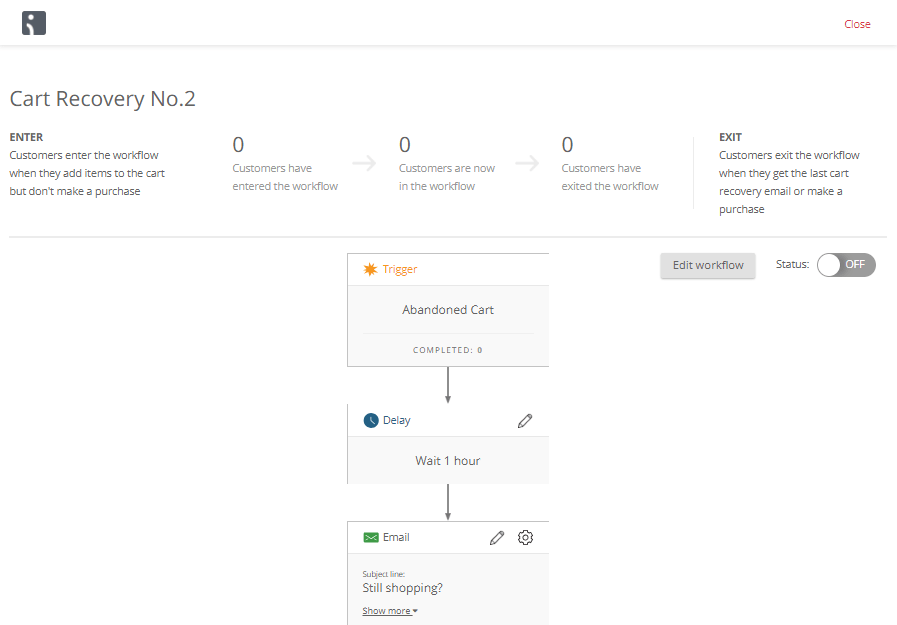
omnisend workflow klaviyo alternatives

Omnisend is unique in the channels that it includes in its workflows: add SMS to a campaign to pack an extra punch or add Facebook and Google retargeting ads to provide your customers with a truly omnichannel experience.

omnisend email capture klaviyo alternatives

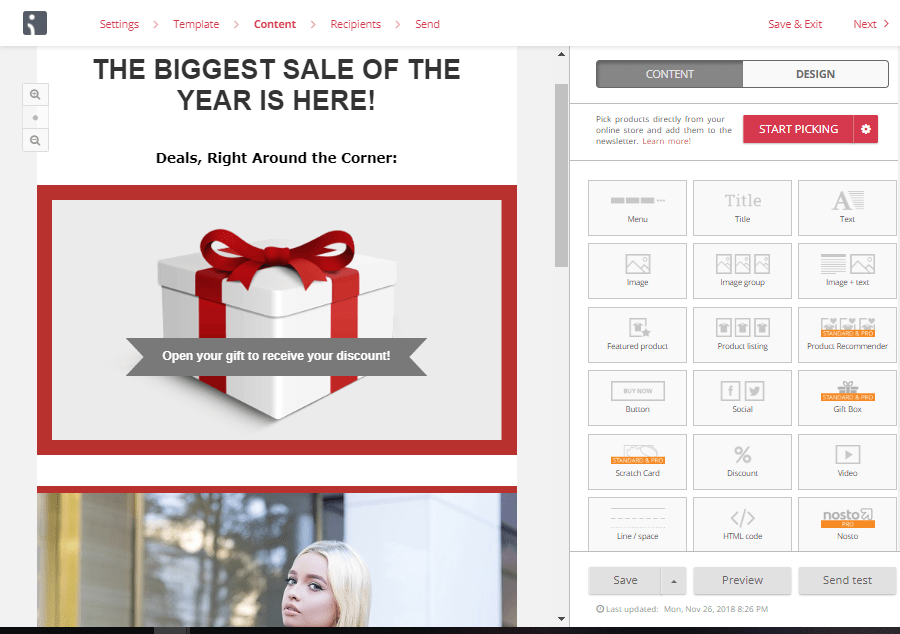
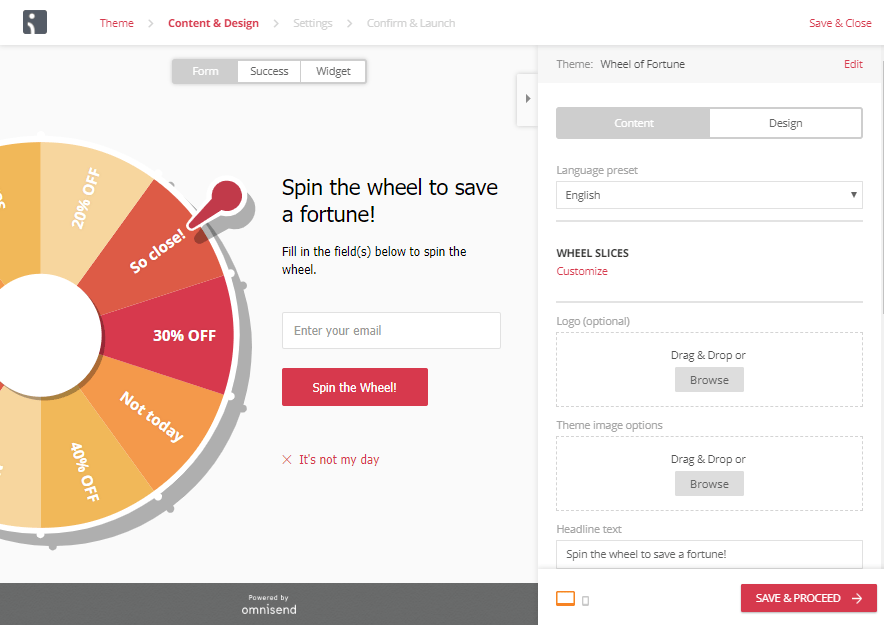
Omnisend is also the only tool in this list that offers dynamic gamification elements to keep your customers engaged. Choose between a gift box or scratch-off card for discounts in the campaign, or build your email list with a wheel of fortune that only spins when an email address is entered.

2. MailChimp

MailChimp campaign klaviyo alternatives

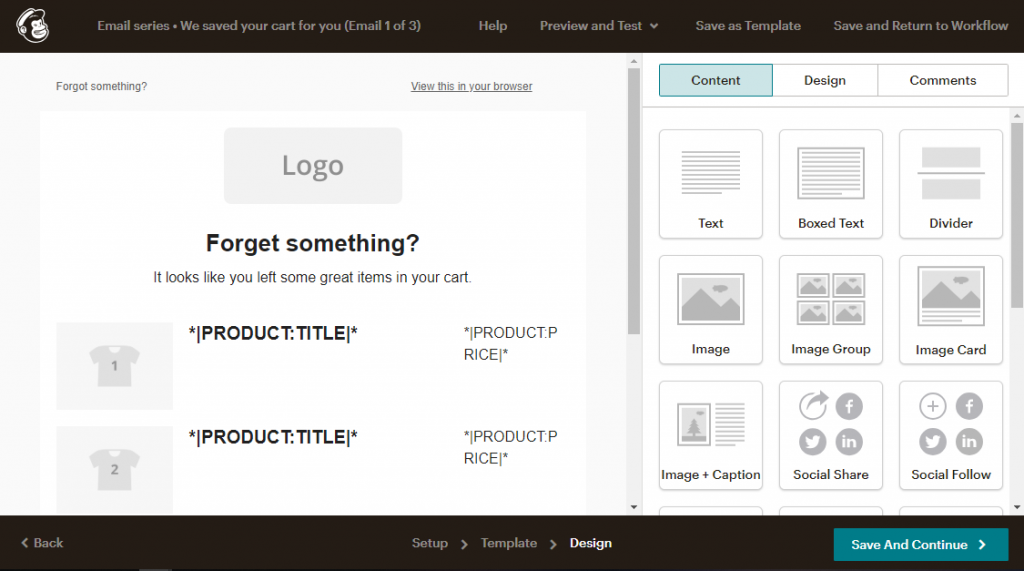
Is Klaviyo or MailChimp better for eCommerce marketing? MailChimp is often touted as a standard in email marketing. It’s true, that in terms of user-friendliness, MailChimp does well with a visual editor and clear tutorials to help you figure out how to use their features.

With an easy-to-use visual editor, MailChimp’s emails are easy to create and customize. They also offer unusual channel integrations, like adding Instagram ads to the usual Google and Facebook ads we see with automation tools. Their automation gets the job done, however, the workflow could be a bit more clear in terms of visualization and editing.

MailChimp workflow klaviyo alternatives

Sometimes, you have to click in a few unexpected places to navigate MailChimp, but there are plenty of tutorials to guide you. For example, to access your automation workflows, you have to go into campaigns, as it’s not it’s own tab in the main menu of your dashboard.

As a Klaviyo Alternative, MailChimp will certainly get the job done, but you might just be surprised at how much you end up paying for the tool.

3. ActiveCampaign

activecampaign workflow klaviyo alternatives

There is no denying that ActiveCampaign is a very powerful tool. However, unlike many tools in this list, ActiveCampaign has the look and feel of a CRM as opposed to an email marketing tool. You feel this right from onboarding- where other tools encourage you to create your first campaign and connect your online store, ActiveCampaign prompts you to add a contact list.

One of the most beneficial things about ActiveCampaign is that it works well if you have multiple domains to manage. As you don’t directly connect one domain to ActiveCampaign, you can choose which domain to assign your campaigns to.

activecampaign campaign klaviyo alternatives

ActiveCampaign joins MailChimp and Omnisend in the best email campaign builders shortlist and integrates with a variety of eCommerce platforms.

However, ActiveCampaign comes with a pretty steep learning curve. If you’re a seasoned marketer with technical knowledge, you shouldn’t have a problem- but it’s not the most user-friendly tool I’ve tested.

All in all, comparing Klaviyo vs. ActiveCampaign, with Active Campaign you’ll have most of the same features, but you’ll have to plan for getting the tool down.

4. Drip

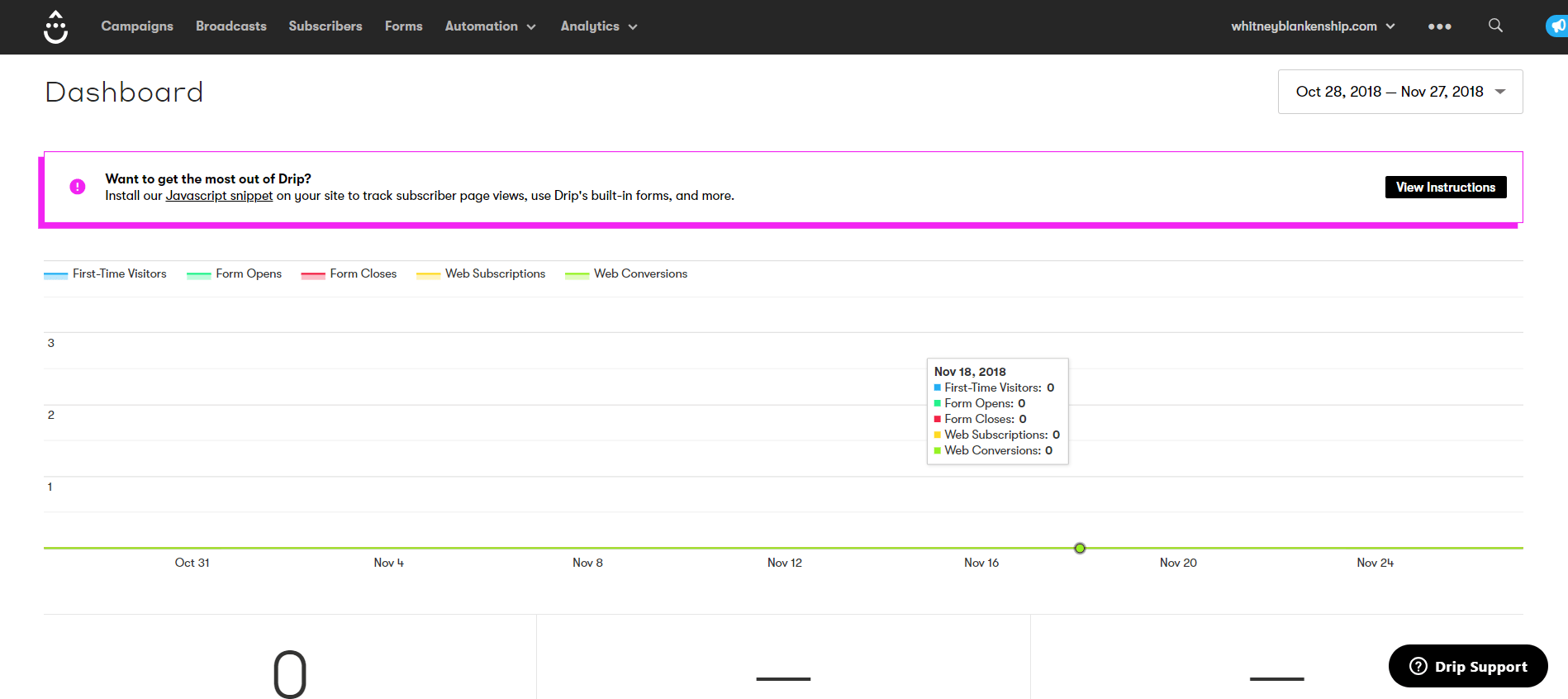
drip dashboard klaviyo alternatives

Drip jumps right in with a very visual interface. With the focus immediately on workflows, Drip proposes a plethora of potential automation to start off with.

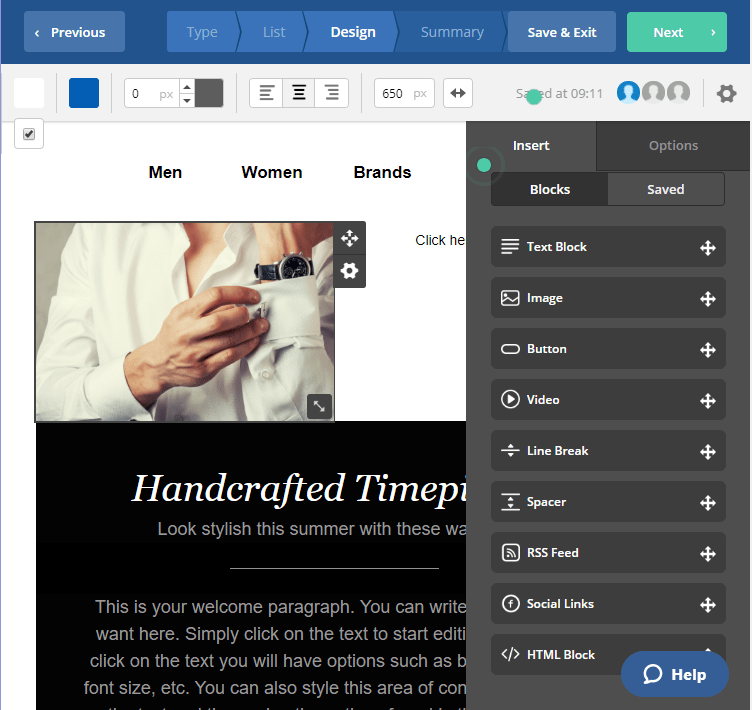
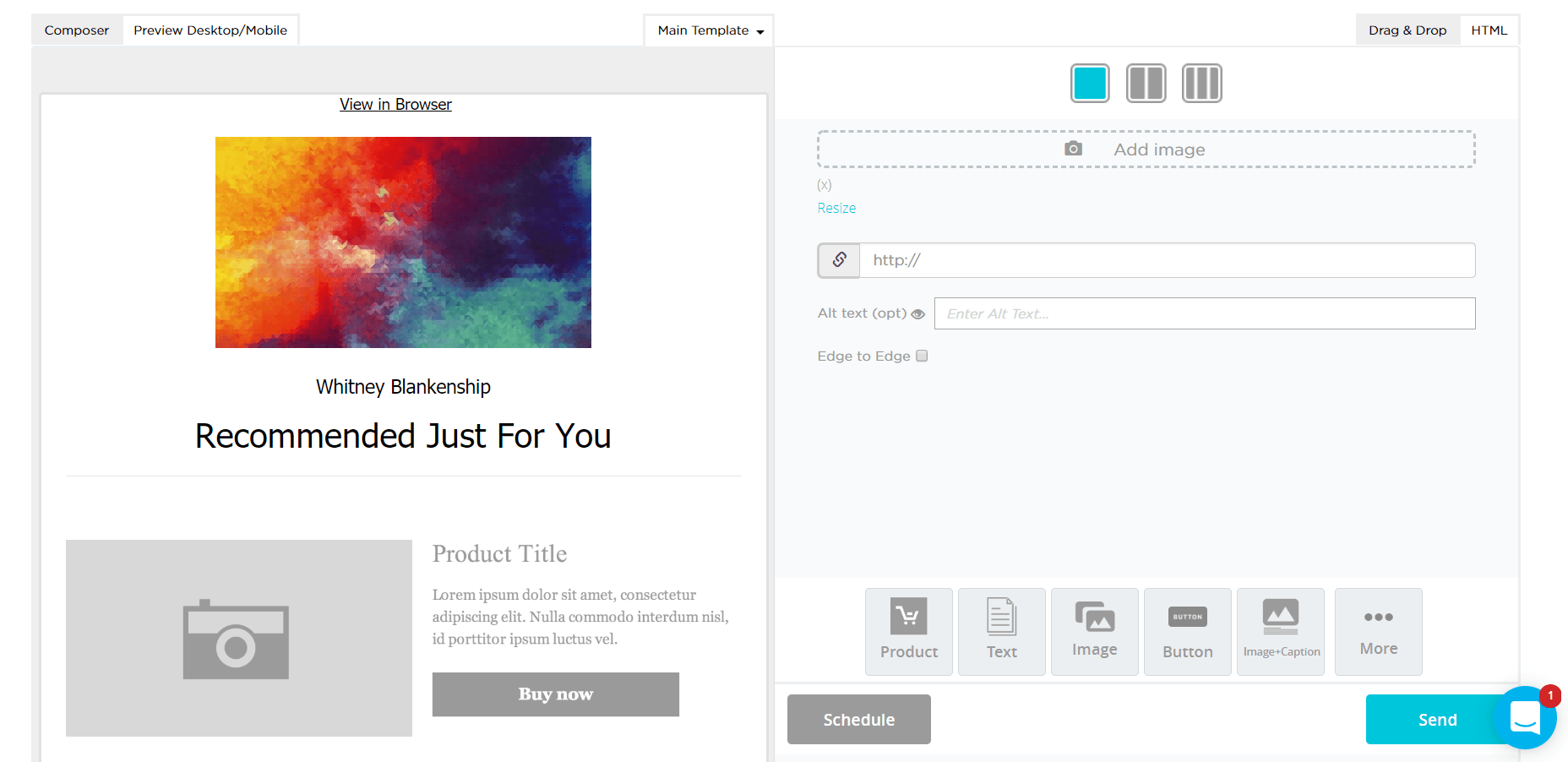
Drip’s visual editor leaves a bit to be desired when compared to other email marketing tools in this list. Unlike most other campaign builders that work based on blocks, emails in Drip are divided into the header, message, and footer, without a whole lot of room to customize in between.

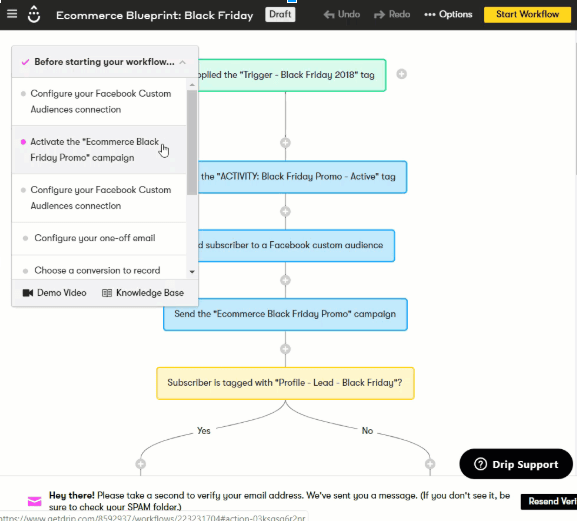
One thing that I do like about Drip is their visual workflow display:

Drip workflow klaviyo alternatives

I like that it’s color coded and you see a clear funnel of communication, which I feel is easier to understand at a glance. But ultimately everything in Drip seems geared towards people who are really just starting out with email marketing and automation.

Drip doesn’t offer many of the features other email marketing tools, but it does offer the potential to have a third party provide it for you. For example, you can’t create landing pages in Drip, but you can integrate other tools like Unbounce and Instapage to get the job done.

So comparing Klaviyo vs. Drip feature by feature, Drip may not measure up as the equivalent alternative to Klaviyo.

However, if you just need some basic things and don’t mind integrating third parties for the rest, it might work for you.

5. SmartrMail

smartrmail campaign klaviyo alternatives

The first impression that I get from SmartrMail is definitely geared towards those who just need a bit of marketing automation and emails, without any of the fancy bells and whistles. It gives you the ability to send basic automated email sequences and create simple popups for email capture.

What’s interesting about SmartrMail is that they propose different auto-updating segments for your email lists, like customers, one-time customers, loyal customers, and at-risk customers.

You can also create your own segments based on profile data, campaign, and shopping behavior.

Unlike other Klaviyo alternatives, SmartrMail is purely an email marketing tool. There is no integration with Google retargeting, no landing pages, no SMS marketing. But if the email is all you need, this might be enough.

Top 5 Best Mailchimp Alternatives for 2020

Marketers all over the world use Mailchimp for their email marketing needs. A long-time fan favorite, Mailchimp has dominated the industry for small business email marketing. However, recent events and emerging Mailchimp competitors are changing the playing field.

With significant pricing increases, including legacy pricing, many marketers are beginning to wonder if Mailchimp is the best email marketing automation solution for them.

However, there are tons of email services like Mailchimp that exist, and they’re just as good, if not better than Mailchimp. We’ve listed the best Mailchimp alternatives for you to test out for your online store.

Channels Comparison

EMAIL SMS FACEBOOK MESSENGER GOOGLE & FACEBOOK CUSTOM AUDIENCE WEB PUSH NOTIFICATIONS
Mailchimp
Omnisend
Hubspot
Aweber
Sendinblue
MailJet

Features Comparison

BEST FOR UNIQUE FOR FREE STARTED PRICE
Mailchimp Newbies Ease-of-use Up to 2000 contacts &12000 emails / month From $10 / month
Omnisend Ecommerce Omnichannel Marketing Automation Up to 15,000 emails / mo From $16 / month
Hubspot Newbies/Intermediate Native integration with HubSpot CRM (free forever, unlimited contacts) Up to 2000 email sends /month From $50/month with Marketing Hub Starter.
Aweber Newbies Ready to use stock photos No free plan From $19 / month
Sendinblue Intermediate Hyper Visual Automation 300 emails / day From $25 / month
MailJet Advanced Email marketing for developers/tech savvy people Up to 6000 emails / month (200/day) From $8.69 / month

Best Mailchimp Alternatives

1. Mailchimp Alternative – Omnisend

Get Started With Marketing Automation

Omnisend is probably the best Mailchimp alternative on this list simply because it’s so much more than an email marketing tool. Omnisend harnesses the power of omnichannel marketing by allowing you to connect several channels into the same automated workflow. This means you can save time by consolidating marketing efforts into this one platform.

With that said, email marketing sits at the core of Omnisend, and they certainly do it well. An easy to use drag-and-drop visual composer that allows you to customize nearly any element in your email. Omnisend also provides an array of pre-built templates to make email creation even simpler. They also offer interesting email capture options like landing pages, popups, and lead generation forms that you can use to build your own email list.

However, what really makes Omnisend stand out is its sophisticated automation and segmentation. Omnisend, like many other tools on this list, offers email automation complete with templates that make complex automation set up child’s play. Their advanced segmentation allows you to target your customer in a variety of ways: based on profile data, campaign engagement, and shopping behavior.

Key Features:

As one of the most complete tools on this list, Omnisend’s feature list is impressive:

  • Integration of email, SMS, Facebook Messenger, and web push notifications all in the same automation workflow
  • Smooth visual email campaign composer
  • Advanced segmentation for precise targeting
  • Personalization to increase customer engagement and loyalty
  • Email capture using popups, static sign up forms, landing pages, and gamified forms
  • Product picker for automatic importation into your campaigns
  • Ecommerce-ready elements like discount codes and customer rewards
  • Live website tracking for behavioral data and A/B testing
  • Browse and Cart Abandonment automated workflows
  • 24/7 customer service

2. Mailchimp Alternative – Hubspot Email Marketing

hubspot

HubSpot offers a reliable and feature-packed email marketing tool that’s suited for growing businesses — for free. The tool allows you to create professional marketing emails that engage and grow your audience. You can start from scratch, with the easy drag-and-drop email builder, or use one of the goal-based templates available.

HubSpot Email Marketing is automatically connected with the HubSpot CRM (free forever), so you can tailor emails (subject lines, content, CTAs)  based on any relevant details you have — such as form submissions and website activity.

Key Features:

  • Create beautiful emails, without designers or IT, using the drag-and-drop editor or select one of HubSpot’s goal-based templates.
  • You can customize emails using an email subscriber’s lifecycle stage, list membership, or any information in your contact records stored in HubSpot CRM (free-forever, unlimited contacts).
  • Maximize engagement with emails automatically tailored to each recipient.
  • Optimize email campaigns with A/B tests and analytics.

3. Mailchimp Alternative – Aweber

For Those Who Need Just Email Marketing

Aweber has long been a classic email marketing tool. In the time that they’ve been an industry leader, Aweber has perfected their visual campaign builder. They offer more templates than any other tool on this list, and each template comes with a few different palettes for even easier creation. From there, each template is completely customizable.

For email capture, you can create rudimentary popups, but exit intent isn’t possible. There’s also no hosting for the landing pages Aweber provides, so you’ll have to copy and paste codes to implement landing pages and popups on your site.

The biggest drawback of Aweber however, is what seems to be a lack of segmentation.

While there are a lot of things to add, there aren’t really a lot of options for customization. Aweber might work as a general email marketing tool, but it might be better to look elsewhere if you run an online shop.

Key Features:

Aweber’s features stick strictly to email:

  • Several templates for easy email creation
  • Very basic email automation
  • A/B Testing
  • Live support

Aweber is great if you’re looking for something hyper basic and you’re a small business. Otherwise, it might be better to look elsewhere.

4. Mailchimp Alternative – Sendinblue

Simple, But Effective

SendinBlue is a very simple, but effective and well-executed platform. Unlike some of the simpler tools on this list, SendinBlue doesn’t feel dated.

While their email builder is limited compared to some of the other tools on this list, it’s definitely one of the better visual builders I’ve worked with.

SendinBlue also integrates well with several eCommerce platforms, allowing you to segment and send campaigns based on shopping behavior alongside the standard profile data and campaign engagement.

While SendinBlue is limited to SMS and email marketing, if that’s all you need, this might be a tool worth looking into. However, if you want to provide a better experience and incorporate other channels, it might be time to look elsewhere.

Key Features:

SendinBlue’s feature list:

  • Several templates for easy email creation
  • Easy segmentation and targeting
  • Campaign personalization
  • Email capture using embeddable forms
    Complex email automation
  • A/B Testing
  • Live support

5. Mailchimp Alternative – Mailjet

Email Marketing for Beginners

Mailjet offers simple email marketing and automation for small businesses. Like many others on this list, they offer simple drag and drop visual builder. There are a lot of templates to choose from, but if I’m speaking honestly, they all tend to look the same.

The biggest flaw with MailJet is that it’s a simple tool that’s not simple to use. Some of their features feel hidden, and at times, the language around certain parts of MailJet is really difficult to understand.

Automation in MailJet is basic enough. You can automate your campaigns to send welcome emails, custom emails, and date-based emails. Apparently, anniversary/birthday emails are coming soon.

Key Features:

MailJet’s feature list:

  • Basic segmentation on campaign behavior and profile data
  • Basic automated drip campaigns
  • Embeddable sign up forms with code
  • A/B Testing
  • 24/7 support

Email Marketing vs. SMS Marketing: Which Channel Should You Choose?

For businesses, email has been a tried-and-true method to reach audiences and send mass messages. However, as the use of mobile phones increases, SMS marketing for eCommerce is quickly becoming a great new way to connect with customers.

SMS stands for short messaging service, also known as a text message. Businesses today use SMS marketing to communicate with their customers directly on their mobile devices about new promotions, exclusive discounts, appointment reminders, and time-sensitive updates.

In-depth Guide on SMS Marketing for Ecommerce (FREE)

According to Twilio, 9 out of 10 text messages are opened within the first three minutes of being received, making it a great opportunity for brands to capture attention.

While email and SMS marketing are both effective ways to communicate with your customers, there are certain messages that are best suited for each channel. Email is a great medium for sending longer, richer messages that include images and attachments, and can be saved for a later date.

SMS marketing, on the other hand, is the perfect communication channel for concise, timely information or discounts. Email and SMS are complementary channels, and if you use them correctly, you can create a seamless customer communication experience.

Take our quiz below to test your knowledge on when to use email and when to use SMS marketing. Then, continue reading for more insight on SMS and email best practices, and how both channels can help you make a lasting impression in the eyes of your customers.

Combining SMS and email marketing: what’s the best approach?

There is no magic bullet when it comes to integrating your digital and marketing campaigns, but many communication strategies can be even more effective when SMS is used in addition to email.

For example, you can send your customer an appointment confirmation receipt via email, and follow up with an SMS message reminder on the day of the appointment. Likewise, you can send a brief mass text message to encourage your customers to subscribe to your email list for exclusive offers and promotions.

Creative approaches like these provide your business with more opportunities to begin or continue rewarding conversations with your customers.

When deciding between sending an email or SMS marketing, it is important to ask yourself these questions:

  • How time-sensitive is the communication?
  • Does the message require two-way communication?
  • Will the message contain rich media?
  • Will your customers have to access this message at a later date?

The main criteria to take into account when incorporating SMS marketing to your existing email program are archival and urgency. If your message requires urgent action or is time-sensitive, SMS is the more effective communication channel. If your message needs to be saved by your customers for a later date, email might be the best way to go.

It’s also important to consider using both channels for important information, but remember not to message too frequently on either channel.

Striking the perfect balance

By incorporating SMS into your existing marketing strategy, you can reach customers at every stage of their engagement lifecycle with your brand on the channels that they prefer. By optimizing your marketing efforts to meet customer preferences, you demonstrate your dedication to providing top-notch service and empowering your customers.

Leveraging SMS marketing with email is a great way to build brand awareness and award customer loyalty. So, what are you waiting for? Start sending!

Comparing SMS Marketing and Email Marketing

SMS marketing and email marketing have roles to play in your overall marketing strategy. Each holds unique benefits in the way they deliver information to your current and future audiences. But, it can be confusing to know which will give you the most return on investment for each campaign that you’re running. Let’s compare the advantages and disadvantages of using SMS marketing and email marketing.

In-depth Guide on SMS Marketing for Ecommerce (FREE)

Comparing SMS Text Message Marketing to Email Marketing

We compared SMS text message marketing to email marketing on key variables that marketers weigh campaign decisions on in the following categories:

  • Open Rate
  • Deliverability
  • CTR
  • Cost
  • Customization

sms marketing vs email marketing

1. Open Rate

Consumers today are more distracted than ever. Think about it, have you ever been watching TV while scrolling through your phone, or reading work emails while listening to a podcast? As a marketer, you’re constantly facing the challenge of trying to grab the attention of your audience. Text message marketing has their attention. The average open rate for text message marketing campaigns is 98% compared to just a 20% open rate from an email marketing campaign. Not to mention the average person replies to a text message within 90 seconds, compared to 90 minutes for an email. Even though the world is distracting, text message marketing is a direct route to the attention of your audience.

2. Deliverability

Since SMS marketing requires the customer to either opt in or out, your list is made up of only engaged customers. On the other hand, marketing emails typically have larger lists, with more frequent sends. Even if you’re not doing it intentionally, emails have a higher chance of being sent to the spam folder, damaging your reputation, and breaking trust with your customers. With statistics like 49% of all emails being marked as spam, you’re already having to work much harder to even get your message into your audience’s inbox. On top of that, someone working in an office receives over 120 emails a day, where the average millennial only receives 67 texts each day.

Since there are fewer texts being received, the likelihood of seeing these messages is higher. Overall, using text message marketing means there is a higher chance of your message being delivered to your audience.

3. Click-through rate

For both SMS marketing and email marketing, click-through rate has the potential to be high, but, it depends on how well you craft your call to action. The click-through rate of any campaign is determined by the call to action. The average click-through rate of an email hovers around 4%, meaning that your email was opened, and the customer followed through a link based on your CTA. A good call to action lets your audience know what’s on offer and a good enough reason to click-through.

With text message marketing it’s more challenging to craft a compelling call to action because you’re limited to 160 characters. Since the whole point to the marketing effort is to motivate your audience to act on your offer, the link is the most important asset. When you use a branded link, the customer immediately understands what the CTA is, and is more likely to follow through.

Mobile phone provider, 3, sends out SMS messages to inform customers when their plans are close to expiring and of promotions, they are running. The use of branded links in their messages is multipurpose. First, it increases trust and the chance of click-through, because the audience knows exactly where the link will lead. Secondly, a branded link acts as the clickable CTA. Instead of forfeiting space in your message, branded links help you to get your message across and capture your audience’s attention ins less time.

SMS MARKETING

4. Cost

The cost to send an SMS message varies by country if its local, the length of the message and the number of messages sent, overall it does cost more than an email marketing send. Email marketing is the most cost-effective way to send non-time sensitive messages to a large audience. Since the customization in email marketing varies from business to business and send to send, the direct cost of each campaign can vary completely.

5. Customization

Email was the clear winner here, because of its ability for personalization. Whether you’re using HTML or text only sends, email lets you add attachments, hyperlinks, images, and videos. Email marketing gives you more freedom to customize messages to fully connect with your audience as your brand, from the colors you use to the type of copy, to the use of images, gifs, or video.

Email and text marketing should both play a role in your overall marketing strategy. The biggest takeaway is to weigh the costs and benefits of each, as both of these programs are both time and money investments that should be done with care and precision. Use email marketing as a “slow burn” to build relationships and communicate complex information and keep text message marketing for quick updates and reminders that require action.

5 Email Marketing Segmentation Strategies To Try in 2020

If you are a marketer, by now you’ve probably found out that segmentation is the holy grail of email marketing. Once I implemented email marketing segmentation for one of my clients, who had virtually no segmentation, I knew why. According to Kissmetrics, segmented email campaigns get 14.64% more opens and 59.99% more clicks than non-segmented campaigns.

5 Email Marketing Segmentation Strategies To Try

Segment by Engagement

In my opinion, segmenting by engagement is the most important segmentation technique. Why? Because sending to people, who have not been opening your emails really hurts your deliverability. A LOT!

What does deliverability mean? Well, since you’ve found this blog post I hope you know but in a nutshell, it’s a metric that describes how likely it is for your email to land in the inbox folder and not the spam folder of your recipient and thus, the likelihood of someone actually opening your email.

Segment by Geographic Location

Segmenting by geographic location may be more useful to some businesses, while not useful to other businesses. For my client, we would use these segments to announce special events (pop-up stores, parties, etc.) happening in our subscribers’ respective cities. However, you can also utilize geographic location segmentation without running location-specific events for personalization purposes. Personalization is one of the big current trends in email marketing. So, if you’re sending to your customers in NY and they are having rainy weather, why not personalize your email based on that (e.g. Umbrellas to weather the current storm)? Or if you want to send to your subscribers in Los Angeles and there is a huge LA event coming up, for example, Coachella (when all of LA becomes a ghost town), personalize your email in that way.

Segment by Purchase Behavior

A very easy way to segment your email list is by purchase behavior, i.e. subscribers, who have already purchased and subscribers, who haven’t purchased yet.

For people, who have purchased you know they already trust your brand and you can assume that it will be easier to sell to them. They are also great leads for cross- or up-selling.

With new leads, however, you need to first establish trust in your business and brand. A more content-based approach will work better for them and you can build rapport by sending them stories about happy customers, product reviews, brand mentions in the press or other content to create trust.

Position in the Sales Funnel

As fancy as this segmentation strategy may sound it is actually one of the easiest and one of the most effective. Customers should not be treated the same way depending on their position in the sales funnel. New subscribers, at the top of the funnel, are just getting to know your brand and should be targeted with a more general welcome series that introduces them to the brand, the product offerings and builds trust. Subscribers that have been receiving your emails for a period of time already should be further targeted by analyzing which emails they engage with the most (e.g. by clicking on the email). This information can help you tailor your next emails showcasing the products they were interested in.

Conclusion

Email marketing segmentation is one of the most important tactics in your marketing strategy. It will win your business some big bucks and is still the best way for an e-commerce business to stay in touch with its customers (besides social media maybe?!). A little bit of creativity and some email marketing automation (more on that later) and you can start increasing your email ROI by lengths.

How Automation Changes Everything in an Email Sequence

Automated emails have become an essential part of any effective marketing campaign. Thanks to them, you can reach your audience exactly when they need it, and when they are most likely to convert.

The good news is that you don’t need a big marketing budget or an overly complex marketing automation software to take advantage of automated emails.

If you’re thinking about adding email automation to your digital toolset, then this article will come in handy.

What is email automation

Email automation is an email marketing feature that allows you to send emails as a sequence, with specific time intervals in between them. Just like you set up your out-of-office replies, you can send your email marketing automation campaigns automatically. You would use this approach, for example, if you wanted to send an email course where each message would comprise an individual lesson. Marketers often call that drip campaigns or follow up sequences.

How to send automated emails

To send automated email campaigns, you’ll either need email automation or a marketing automation platform. Whichever tool you use, the logic remains the same.

Before anyone can start receiving your messages, you have first to specify a set of conditions and put them into a workflow. Think of it as a scenario – when a subscriber meets the conditions you’ve specified in the scenario, it triggers the system to send out your email.

The good news is that when you set up your workflow and hit publish – you’re done. From that point onward, every time your customer meets a specific condition, they will get your automatic email.

Setting up marketing automation workflows

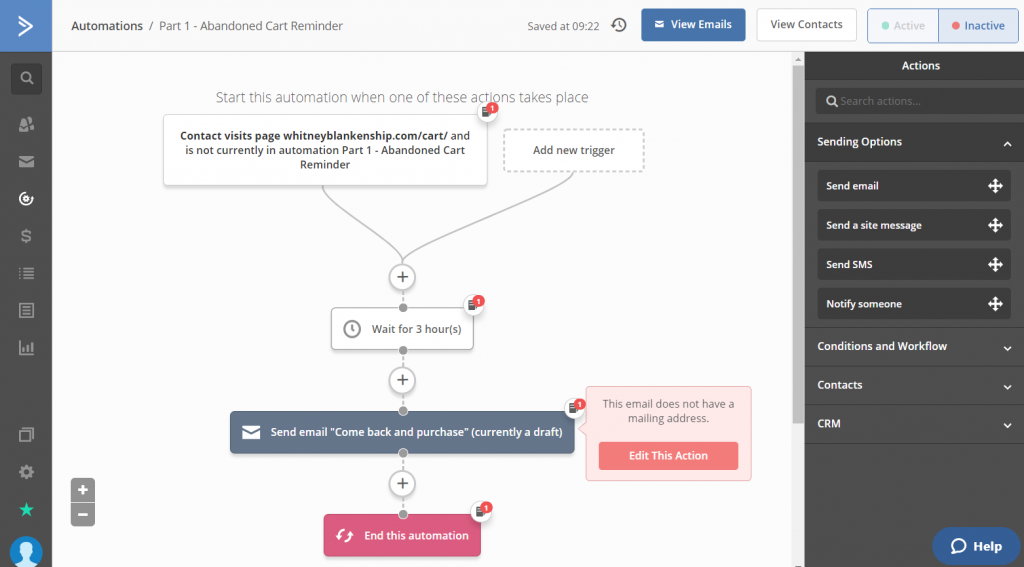
Even though marketing automation workflows may seem complicated, most of them follow a simple if/then logic – if someone subscribes to your list, then wait five minutes, and send them a welcome email. And that’s it!

From there, you can, of course, develop the workflow further. Add other actions and conditions depending on whether the subscriber opens the welcome email or if they click a link inside it. But that’s all there is.

Getting started with marketing automation isn’t that hard either. Platforms like GetResponse often offer prebuilt marketing automation templates you can use right away. Just add your messages, tweak the scenario if you need to, and you’re done.

Tips For Successful Email Marketing Strategy

Email marketing is one of the best strategies for promoting products and building a loyal audience. In fact, email has an ROI (return on investment) of 122%, which is 4X better ROI than social media and paid search.

Craft automated follow-up sequences

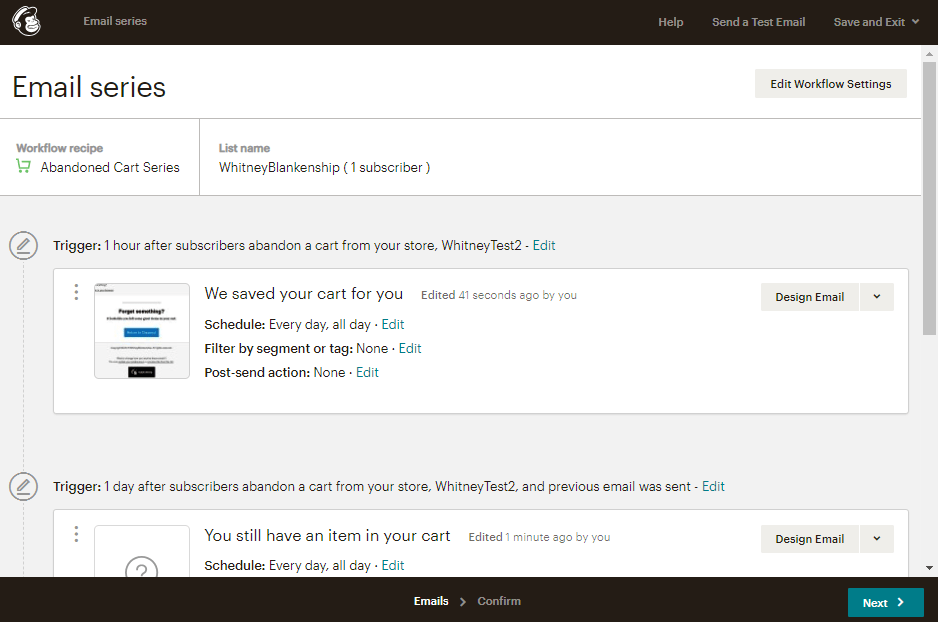
What do you do when customers abandon your website half-way through the checkout process, or abandon their shopping cart, or leave your website after viewing the pricing page? You get in touch and ask them to come back to your website, of course.

Ask for feedback

No product, service, or business is perfect. Improvement is a massive part of sustaining business growth. When it comes to making your products and services better, customer feedback is the key.

Even the world’s biggest brands like Apple always listen to customer feedback and roll out updates to its software and products to make them better. As a small business, you also have to gather feedback from your customers to find more ways to improve your products and services.

Segment your email list

An important part of email marketing is creating effective email campaigns. This involves sending personalized emails targeting specific audiences in your email list. Like sending specially crafted email promotions to parents or promoting your SaaS products to business owners.

List segments help you create better email marketing campaigns by categorizing your email list into smaller groups. For example, you can create a list segment for the location to create a group in your email list based on the location of your subscribers. Or the job title, age, gender, etc.

Take advantage of transaction emails

Every blog, business, startup, or online store has a transaction email. Whether it’s to confirm a purchase or signup to a newsletter, sending a transactional email is a must for every email personalization strategy.

Instead of making these transactional emails boring and unimportant, you can use it to your advantage to tell your customers and leads about your products and services.

For example, include a link to get a free trial to your software or coupon code in the transaction email to let your customers get a discount on their next purchase.

Use mobile-first email designs

47% of email opens happen on mobile while desktop accounts for only 17%. If you craft your emails only focusing on desktop devices, you’ll be missing out on a lot of engagement.