10 Black Friday Marketing Ideas to Boost eCommerce Sales

Here you will find Black Friday marketing ideas and as the Cyber Monday goes hand in hand with Black Friday these ideas will be useful for that marketing campaign too.

First, let’s see what the fuss is all about?

What started in the USA is now getting traction all over the World.

Black Friday Marketing Ideas to Boost Your Sales

Make your one last push for the end of the year and generate some extra revenue.

The Black Friday marketing ideas are not in any particular order, they can be used combined or separately. Hopefully, you’ll get the best out of this shopping spree.

1. Create a Gift Collection or a Guide

Gift-Collection-Black-Friday

If you have an online store, you can easily create a product tag and then add that tag to the products that you want to feature in that collection.

This will automatically populate that collection and you have your own gift guide.

You can also create a guide by writing a post that will feature a list of products that you recommend for someone to gift them to their significant other.

As in today’s World, you can sell online in more than just one way. The post gift guide is also a great idea to do for affiliate marketing.

If you have a blog and want some extra money, this is a great idea to do on a Black Friday.

Gift guides can be, something like “X Best Gifts for Your Partner” or “X Best Gifts for a Handyman”.

2. Have a Landing Page for Your Black Friday and Cyber Monday Deals Active all Year

Dedicated-Landing-Page

As you can see in the stats about Black Friday, shoppers tend to search for offers and deals in the week leading to Black Friday.

So it’s a good idea to have a landing page that is dedicated to Black Friday all year long.

That way you’ll have a better SEO as the page will be a regular on your website and not just a one time deal.
This will help you show up in searches for Black Friday.

If you are creating a landing page just for that one day every year you will not rank in the top results, as the page will be brand new.

So what are landing pages?

Landing pages are used in marketing to promote your offers, products, and deals.

It’s a best practice that you don’t have any other distractions on a landing page. This means no navigation or any other stuff that would pull the attention of visitors away from the focal point of interest.

When someone lands on your dedicated landing page you know that they are interested in your deals and because the page is active all year long it can help you build your e-mail list.

So to spice up the page, add:

  • Subscribe button, so people can be notified about your deals and discounts.
  • Make sure it’s responsive and accessible on all devices. If you have an e-commerce store you see that online shopping is surpassing offline.
  • Like said before, make the site available all year long, that way you can build your email list all year long and then send out your deals.

3. Create a Discount Coupon or a Code for Online and Offline

Create-a-Coupon-or-a-Discount

This one is the easiest and it takes the least of your time creating it. You offer a price discount for your store or online store visitors.

You don’t even have to print the coupons, make the coupon available for download or offer to send them the coupon right into their inbox.

That way they can print it and use it in your store.

If you also have an e-commerce you can combine it with the code and let them choose where they want to use it.

Every e-commerce platform has the ability to create coupons and discount codes, so use it to your advantage.

4. Promote the Offer on Your Website

Interestingly only 50 % of retailers will use their website’s homepage to promote their Black Friday and Cyber Monday offers.

This is where your opportunity lies.

Promote it and make sure you lead your customers to a dedicated landing page like mentioned above.

5. Send Out an Email Campaign With Your Deals and Promotions

This one goes out to both Black Friday and Cyber Monday, as you can get a lot of revenue that way.

Email marketing is still one of the best channels to promote your deals.

To make the emails more effective do the following:

  • Segment your users, as not everyone’s the same. Categorize based on their demographics, location and what they bought from you in the past. You can make your job segmenting user easier if you ask them to fill out their profile or have them sign up form set up to get more info. Doing that will give you a much more clear voice because you will be talking more directly to your target audience.
  • Personalize your emails. It’s nice to get your wishes for the holidays, but it sounds generic. Try using their name like “Happy Holiday, John. Maybe you want to greet them with “Hi, John”, rather than just “Hi”. You can also personalize your emails with offers that are specific for the user or the region where they live.
  • CTA. You can create a call to action in your email so they can save the date in their calendar, so their mobile phone will remind them of your deals.
  • Consider time-zones when sending out your emails.
  • Your subject line has to draw enough attention and make them open your email, so make sure to create a good one. But be transparent, not deceiving.

6. Take Your Promotions on Social Media and Forums

Promote-on-Social-Media-and-Forums

Promote your offers on your social media accounts, forums, and social media groups. Make sure you take the time to prepare your material to share with your follower.

So you post posts that are talking about the before, mid, and after the deals and the event has ended.

This should apply for Cyber Monday too.

This is where you see it’s important to create a following, as it can really help you to be active and engaging with your followers.

If someone comments, you answer, that’s how you will provide the best experience and convince them to buy with you. Be human.

And don’t forget to use additional hashtags like:

#blackfriday #blackfridaysale #blackfridaydeals #blackfridayyear #smallbusinesssaturday #cybermonday #sale #specialoffer

7. Create a Chatbot or a Messenger Bot

Create-a-Chatbot

You see, automatization is here, and having a bot that greets your visitor on your website and offers them a special deal and answers their question, can really help with converting your visitors into clients.

I mean your visitors would get an amazing user experience because they could have a meaningful conversation about what they are after.

You see, if your bot can ask what kind of a deal they are after and gives them a few gift guides available (see how things can be connected), and they choose one or more right there.

What’s even better, after the bot provides them with a link to your gift guide, he can then provides them their personal discount, just for them, with the option to subscribe if this is in a week leading to the Black Friday and Cyber Monday.

That’s what I call a great user experience in an e-commerce store. It can also be connected with offline shopping, let them download the coupon.

See bots can be handy for you.

8. Make Sure to Start Your Black Friday and Cyber Monday Promotions Early

That’s right.

Start before everyone does. Try to get people to sign up for your email list. Share coupons that are available to cash in only on Black Friday and Cyber Monday.

That way you can increase your reach and also improve your conversion rate, as you will already give them something that they cash in on.

9. Organize a Flash Sale in the Days Leading to The Main Event

As the main event is a Black Friday and Cyber Monday sale, why not build up the hype with a short flash sale.

As the name suggests this is a short sale, that has high discounts.

It’s not uncommon to offer free shipping, that can help you compete with bigger retailers.

The best results are seen in two or three-hour flash sales as reported by Shopify.

These short sales are also a good way to experiment with what works best for your company and your target audience.

Four things to have in mind when doing a flash sale:

  • Limit the selection of products. These means don’t have all of your products or services discounted for this sale before the main sale on Black Friday.
  • Make sure you have enough of the available products in stock.
  • Don’t let your website to crash (have a good hosting in place or let your host know what you will do so they can allocate additional resources for that moment).
  • Define your targeting market for your flash sale
  • Ship your products fast, so that they will get to your clients in 1-3 days

Announce your flash sale on your website, in your store if you have a physical store, and on your social media channels.

On a website the best place is at the top of the browser, so your visitors can see it right away and make it sticky, so it scrolls down the page and stays in the view.

10. Offer Deals by the Hour

Offer-Deals-by-the-Hour

Offer Deals by the Hour

You can have one main offer that is active through all of the Black Friday sales, say like 30 % off of everything.

But then you offer like 50 % off for a certain product or a service, that is valid only for an hour. After that, you select another product or a different deal.

However, you should remember that this takes quite some work to prepare yourself.

Make sure you announce your deal on a homepage of your website in a banner and change it as your offer changes.

Also, make sure you share the banners on your social media as the hour deals roll out.

For this to work you will mostly need a team to help you, as a solo entrepreneur this could be quite a large and overwhelming task.

Conclusion

Hopefully, these Black Friday marketing ideas will help you increase followers, traffic, leads, and revenue.

Make the last push this year and finish strong. And have in mind that a lot of people are buying gifts to others, so be prepared for that.

Now plan what will your next offer be.
What Are Push Notifications?

What Are Push Notifications?

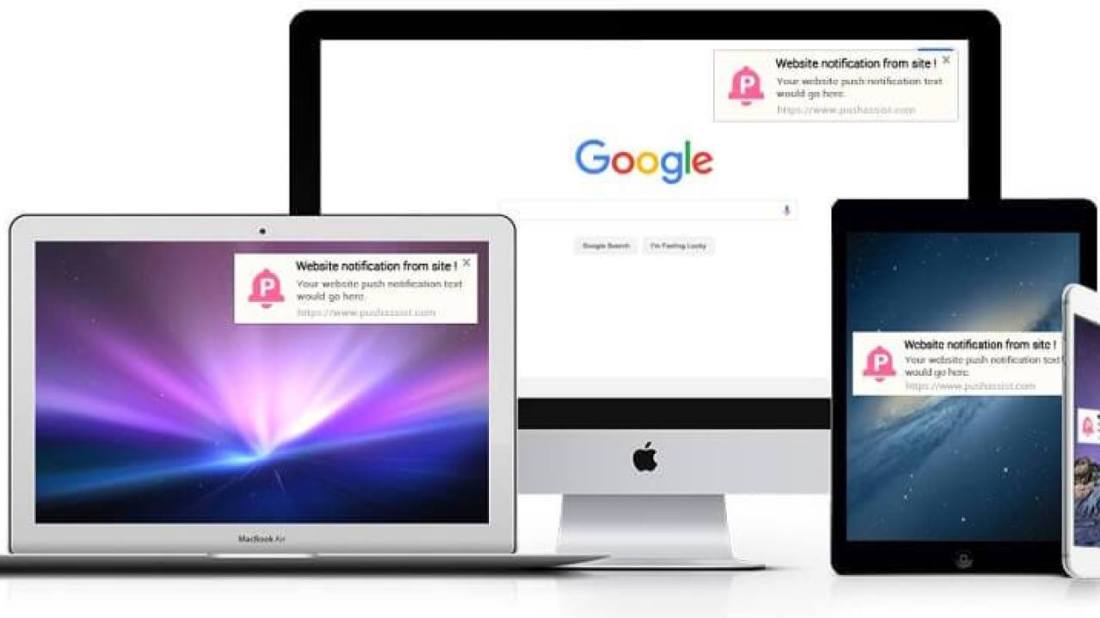
Push notifications are clickable pop-up messages that appear on your users’ browsers irrespective of which device they use or which browser they are on. Subscribers can be anywhere on the browser and still receive these messages as long as they are online or have their browsers running on their devices.

Browser push notifications are different from in-app notifications because in-app notifications appear only when triggered by an existing application on your mobile device, while browser push notifications can be triggered through browsers on any device as long as the user subscribes to receive your notifications. It is an instant mode of automated, direct communication between a website and its end users.

The digital marketing channel of online push notifications is newer than most existing channels. Even though it has gained significant momentum over the last few years, there is still a wide gap in strategic implementation between this newer method and others. Marketers are still discovering use cases for push notifications, but it has been observed to increase repeat visits, user retention, and re-engagement. This guide will tell you all that you need to know about push notifications.

Types Of Push Notifications

There are three types of push notifications – Web Push Notifications, Desktop Push Notifications, and Mobile App Push Notifications. Let us now look at each of these in detail:

1. Web Push Notification:

With web push notifications, you can send alerts on mobile as well as desktops even when users are not on your website. With zero installations required, users simply need to give their consent in a single click to receive notifications. Web push notifications can be sent to users without the need to build an app as they are sent directly to their browsers. These notifications are mainly used by marketers to increase website engagement and encourage visitors to keep coming back to their website, thereby increasing conversions. It’s fairly easy to build web push notifications for your website and can be done even by those with little or no technical background. This is what makes web push notifications such a handy tool for marketers.

2. Desktop Push Notifications:

Unlike web push notifications, desktop push notifications appear only on your users’ desktops. These notifications are driven mainly by the products that you have installed on your desktop, with the aim of driving customer engagement. Desktop push notifications are fairly difficult to build when compared to web push notifications and require developer’s help.

3. Mobile App Push Notifications:

Like desktop push notifications that are triggered by a product you have installed, mobile app push notifications, too, are triggered by existing/downloaded applications on your device. These notifications are crafted and sent with the aim of increasing customer engagement. Mobile app push notifications, like desktop push notifications, are fairly difficult to create when compared to web push notifications and require developer’s help to be built.

Using Web Push Notifications to Grow your eCommerce Store

Setting up an eCommerce store on Shopify is simple. There are several resources available to walk you through setting up a navigable and sleek storefront. But, successfully growing your Shopify store is another ballgame.

Some of the biggest stores have a robust set of marketing channels – email, SMS, and social media, to name a few – to ensure they are maximizing their reach and bringing in more engagement. But just bringing in new visitors doesn’t cut it – you also need to be able to retain and retarget these store visitors.

That’s where push notifications for Shopify can make your engagement efforts much more impactful.

Step 1: Grow your Subscriber List

increase-push-notifications-subscribers

The first step to setting up push notifications is to build your subscriber list.

When you first enable any push notification app, the app adds the browser prompt to your store by default. The browser prompt is a permission window that is displayed to your store visitors when they visit your site. Here’s what it looks like:

Since browser prompts are native to each browser, they are not customizable. This means that you have little control over what is displayed to your visitor. But, within the PushOwl app, you can add customizations based on your brand voice and preferences.

For instance, you can set a delay so that the browser prompt isn’t shown as soon as the visitor lands on your store. This delay allows your visitors to spend a few minutes browsing your store and in turn, makes it more likely that they would opt into your push notifications instead of hastily dismissing it.

Step 2: Set up Automation

Before you start sending promotions, you can set up some powerful automation that will trigger notifications based on customer activity.

1. Welcome Notification

Welcome-notification-Cat-and-fiddle

First impressions leave a lasting impact. So, as soon as your store visitor subscribes, it’s important that you greet them with a welcome notification that is automatically triggered. Many stores use this welcome notification to greet their new subscriber with a fun message while other stores provide their subscribers with a discount code for their next order.

2. Abandoned Cart Reminders

cart-abandonment-notification-templates-4

Recovering your abandoned carts is a crucial part of store ownership. Just like email, push notifications allow you to set up re-targeting to engage shoppers who have abandoned their cart. With push notifications, you can set up a sequence of 3 reminders at different intervals to have a chance to bring your shoppers back and recover your carts easily.

One of the most common tactics used by merchants is to provide a discount code or free shipping on the shopper’s cart with the second or third reminder.

3. Flow

Ever wanted to send shoppers messages that are triggered based on their activity on your store? With Shopify Flow, you can easily set up automated push notifications based on different behaviors- from providing a loyalty discount for purchasing from you to sending a message notifying them about their order confirmation, delivery, and even return.

With Flow, you need to set up your preferred workflows once, and your customers can stay informed about their orders and any special discounts as you process it in the backend.

Step 3: Convert Subscribers with Attractive Promotions

Building your subscriber list is easy once you’ve set up your widgets.

According to a statistic, 5 to 15% of your store visitors are likely to opt-in to your push notifications.

Once your subscriber list starts growing, it’s time to send push campaigns to these subscribers to bring them back to your store and convert them into customers.

1. Flash Sale

flashsale

There’s no doubt about it – shoppers love flash sales! Campaigns with an expiry date create urgency in your shoppers and make them check out faster so that they don’t miss the deal. Many stores run weekend sales and use the Flash Sale feature to send out push notifications with an expiry date.

Add the discount code and the expiry time in the title copy. With flash sales, stores don’t have to explain too much about the sale since the title and the message create enough urgency to persuade subscribers to make a purchase.

2. Event Promotion

Campaigns that get the best traction are ones that are relevant and timely. This is why a notification promoting your store’s Christmas sale or a Black Friday sale gets more clicks and revenue than a regular old campaign.

Make the most of this attention by sending out timely campaigns based on these events. Some stores even run campaigns during fun holidays and events, like No Shave November or Fashion Week.

3. Product Engagement

Whether you’re launching your new product or promoting an existing product, sending a push notification with an attractive hero image and a catchy caption is bound to make your subscribers more intrigued about your product, prompting them to get it for themselves.

Use the title and message to paint an attractive picture of your product. You can even talk about the benefits of the product and what your subscribers will gain from owning it.

4. Product Advice

What unique quality or benefits do your products have? Do they have multiple functionalities? Or can you use the product with something else for a quick beauty hack? Promote these hacks with your subscriber base.

Sending out push notifications with exclusive tips can make your subscribers eager to receive your notifications and they are more likely to come back to your store. Even if they don’t purchase the product you’ve mentioned in the notification, you can expect them to browse the rest of the store and make a purchase while they’re at it.

5 Best Shopify Abandoned Cart Apps

No doubt you’ve come across the Shopify cart abandonment issue.

You know that four in every five customers might leave your store without finishing the purchase.

Frustrating, yes. But you shouldn’t panic just yet.

There are many tools and strategies that you can use to rescue abandoned carts and improve your sales. Abandoned cart chatbots connected with automated emails are one of the most effective ways. They can be integrated with any Shopify store.

Best Shopify Abandoned Cart Apps

1. Wigzo

wigzo-1012x410

Wigzo is a marketing automation app that uses numerous channels to recover lost sales. It has an omnichannel marketing strategy to resolve abandoned carts’ difficulties. The app also has customer segmentation functionality to split customers into groups based on their interests and purchases.

Features:

  • SMS notifications for abandoned cart with a link and discount
  • pre-built email marketing automation workflows that require minimum input from the user
  • custom abandoned cart emails with a link to the checkout page
  • automatic product import to emails to save time with email creation
  • On-site push notification to prevent cart abandonment

Click Here To Try

2. Tidio Live Chat

abandoned-cart-app-Tidio-Shopify-1200x365

Tidio is a live chat and chatbot app designed for small and medium-sized Shopify stores.

Tidio provides shopping cart abandonment emails in its Mailing feature. You can easily create automatic emails to remind your customers to finish purchases with a built-in visual email builder.

Features:

  • Sends a notification of an abandoned cart to customers who are about to leave the store with a chatbot.
  • Shows a custom message to returning visitors that you can use to welcome them or share news about a sale etc.
  • Can be used to build custom chatbots for cart abandonment. 
  • Has a pre-made shopping cart abandonment chatbot template you can use to create a chatbot within minutes.

Click Here To Try

3. PushOwl

abandoned-cart-app-Pushowl-Shopify-min-1200x365

PushOwl is a simple Shopify push notification app. It can help with automating Shopify abandoned cart recovery messages, “back in stock” notifications, and product review notifications. The app is really easy to use and doesn’t require any personal information about customers to send messages to them.

Features:

  • custom abandoned cart notifications for Shopify stores
  • click rate and other customer interaction analytics to see which notification campaigns are working effectively
  • automatic image generation of the product’s that was added to the cart for the notification
  • custom time intervals for abandoned cart notifications
  • notifications of product availability and shipment status
  • cross-platform support to send push notifications to any device

Click Here To Try

4. Omnisend

abandoned-cart-app-Omnisend-Shopify-min-1200x365

Omnisend is a Shopify abandoned cart app that uses emails to recover sales. You can choose emails to use from a nice collection of templates. The app also has customer segmentation functionality to divide customers into groups based on their interests and purchases. Custom pop-up notifications are available to help with growing the list of subscribers.

Features:

  • pre-built email marketing automation workflows that require minimum input from the user
  • custom abandoned cart emails with a link to the checkout page
  • automatic product import to emails to save time with email creation
  • SMS notifications as a part of the abandoned cart Shopify sequence

Click Here To Try

5. Campaign Monitor

abandoned-cart-app-CampaignMonitor-min-1200x365

Campaign Monitor is a good Shopify abandoned cart app to use for recovering sales with email marketing. It uses your Shopify customer data to create segments for more targeted campaigns. No coding is needed to create the campaigns, as the tool comes with dozens of mobile-ready templates and an intuitive email builder.

Features:

  • automatic creation of custom Shopify customer segments such as first-time customers, repeat customers, and high spenders
  • automated emails to share with customers
  • email templates to create new campaigns quickly and efficiently
  • automated receipts for Shopify orders
  • Integration of customer reviews in emails to build trust and reputation
  • pop-up forms for Shopify stores to get more subscribers

Click Here To Try

15 Email Marketing Tips to Increase Your Sales

Have you ever sent an email to clients only to get no response? Did they even open it? Or open it just to delete it? Maybe you don’t even know where your campaigns are going wrong. Have no fear, our Email Marketing tips are here.

I wanted to share with you 15 tips to improve your email marketing so that you can increase your sales.

  1. Value your list. Protect it; connect with it; add value to it; grow it. I’ve seen so many businesses that simply don’t collect names and emails effectively, or they debase the list simply by not emailing out to it frequently enough (see Tip 12 below.)
  2. Start capturing/gathering your list today. Centralize your list to one place. This means you need the right platform, which brings me to tip 3.
  3. Pick the right email platform for your company. Balance complexity with power. There is a cost to switching platforms that is many times the cost of the service. Choose wisely. We and our business coaching clients use everything from the inexpensive and simple to use Mail Chimp and Constant Contact to the serious and robust Infusionsoft or Hubspot.
  4. Test and find your most effective email format(s). (E.g. Text vs HTML. Short vs long form. Etc.)
  5. Make your email mobile/small screen friendly. This means you have to review your emails on a small screen before you send them out.
  6. Test your messages before you send them on multiple browsers and readers. Have a trusted checklist to review things like: do all links work? Are the landing pages set up and tested? Spelling and grammar? Did the fulfillment part of your funnel work to get the person the right things if she responded? Etc.
  7. Have a second set of eyes review your email. If this isn’t possible, step away from your email for an hour and then revisit it fresh.
  8. If you’re working with a new list or with a new format or email element, start with a subset of your list first (e.g. your Gmail or yahoo emails) to make sure there aren’t any issues with deliverability or formatting. This one tip will save you so much heartache; I’ve had emails going out to 100,000 people get stopped cold because of something we could have fixed if we had only eaten our own cooking on this tip.
  9. Invest in your subject line. This is the headline for your email. Avoid gimmicks and tricks. They may work once, but they erode trust and debase most brands. In fact, A/B testing your subject line is easy (just divide your list in two and track open rate, click-through rate, and purchase/conversion rate on the landing page by subject line A vs B. All other parts of the emails are the same, just a different subject line.) This lets you use email to build your best version of sales scripting to use on your website, offline marketing collateral, and even in your live salesperson scripting.
  10. Have your email come from one specific person, and go to one specific recipient. Don’t write to crowds, and don’t write from committees or departments or companies. Give us a face, and look your reader in the eyes and connect. Write to one person.
  11. Send your first email nowThe single biggest email marketing mistake we observe clients make is waiting to send any email until they have it “perfect”. Don’t wait until you have “enough” emails on your list.
  12. The clock is ticking. Your email opt-ins degrade, like an unstable ticking bomb. Make sure you email them as soon as possible to reset the clock. You need them to remember who you are and why they want to read your message.
  13. Make your emails valuable. This can be a key insight, a touching story, a special offer, or anything else that is relevant to your business and your audience. What do you talk with your prospects and customers about when you’re with them in person? What do they care about? How do you touch their lives? This is the core of your email messaging.
  14. Make sure all key images are “clickable” and all videos have a “play” button.
  15. If an email (or email campaign) was successful, re-use it. At the very least send it to all those people who didn’t open it the first time. And recycle it back to your non-buying prospects a second and third time down the road after an appropriate interval.

Best eCommerce Marketing Strategies for 2020

Accounting for more than $3.5 trillion sales worldwide, e-commerce continues to grow year after year. With lower barriers to entry, it’s hardly a game of few anymore.

With new competition added every day, it’s only those who go the extra mile for their customers that manage to stand out in the crowd. And, unsurprisingly, it’s the same brands who succeed at turning their visitors into first-time buyers and customers into brand evangelists—regardless of the competition.

What’s their secret to achieving more revenue and higher conversions every year? That’s what we looked into. As a result, we found 13 effective e-commerce marketing strategies any e-tailer can use to improve their conversions in 2020 and beyond.

Best E-Commerce Marketing Strategies for 2020

1. Collect Super-Targeted Leads with Quizzes

Getting personal details during signup, without hurting conversion rates, is a challenge for many marketers. You need to give prospects a compelling reason to share more information, besides their email address.

One way to do that is with lead generation quizzes.

Taking several forms, ranging from “Which Starbucks drink are you?” to personal style finders, lead generation quizzes are one of the best ways of collecting segmented ToFu leads.

One of my favorite quiz examples comes from Care/of, the vitamin subscription service:

This image has an empty alt attribute; its file name is Care-of-Homepage.gif

When you visit the company’s homepage, Care/of, first, invites you to take their quiz with a direct call-to-action (CTA).

Notice the first question Care/of asks you in this quiz (after your first name):

This image has an empty alt attribute; its file name is Care-of-Lead-Generation-Quiz.png

By asking how knowledgeable and convinced you are about their product line, Care/of assesses where you are in your buyer’s journey, and adjusts your results accordingly.

If you say you’re skeptical about vitamins, you see this screen…

This image has an empty alt attribute; its file name is Care-of-Lead-Generation-Quiz-2.png

…whereas they greet informed prospects with this message:

This image has an empty alt attribute; its file name is Care-of-Lead-Generation-Quiz-3.png

After answering a few questions about your age, location, preferences, and goals, Care/of asks for your email in the middle of the quiz.

This image has an empty alt attribute; its file name is Care-of-Lead-Generation-Quiz-4.png

Notice how they give you a valid reason to submit your email address by saying, “So we can save your answers.”

Since you’re almost halfway through the questions, you do as they say, without much thinking.

Once you complete this comprehensive quiz, Care/of directs you to a personalized landing page with your name, results, and research-backed product recommendations.

This image has an empty alt attribute; its file name is Care-of-Lead-Generation-Quiz-5.png

On it, Care/of explains which supplements you should take, along with reasons, rather than hard-selling you if you’re not ready to buy.

Now that the company knows a lot about you, they can remarket to you with paid ads and email marketing, using highly personalized recommendations and incentives.

2. Offer Gift Guides (Year Round)

The holiday shopping season is the perfect opportunity to boost e-commerce sales and promote giftable products. With Black Friday, Cyber Monday, and Christmas, the holiday season is a highly profitable period for e-commerce marketers.

Many online stores create holiday gift guides for Christmas, New Year’s, or Valentine’s Day to suggest relevant gift ideas to their visitors. But why stop there while every day is a good day to give gifts?

Instead of waiting for highly competitive shopping days, you can suggest gift ideas all year round and guide your visitors into making meaningful purchases.

Check out this on-site gift guide example by Ban.do:

This image has an empty alt attribute; its file name is Bando-Gift-Guide.jpg

Notice how the company categorizes different gift options by “our faves, gifts under $25, gifts under $50.” Ban.do also lets you refine your choices using the filters on the left and find the perfect gift you’ve been looking for.

This is a great gift guide example because it’s easy-to-navigate, and it helps visitors with their gift search.

Email marketing is another channel you can use to distribute your gift guides all year round.

Take inspiration from Tattly:

This image has an empty alt attribute; its file name is Tattly-Gift-Guide-Email.gif

The company sends out their holiday gift guide via an email that leads you to their website.

This image has an empty alt attribute; its file name is Tattly-Gift-Guide-Email-2.png

When you scroll further down in the email, you can see how they categorize their gift guides and know what to expect.

If you want to take it one step further, you can make excuses to celebrate the little things in life and create your own holidays. It’s a good way to bond with your future (and existing) customers and promote your products throughout the year.

3. Convert Empty Shopping Carts

In an ideal scenario, prospects would likely land on your homepage, click a category, and from there, go to a product page before moving onto checkout.

But in the real world, the buyer’s journey isn’t linear.

When a ToFu stage prospect ends up on an under-optimized page, such as 404 pages a sold-out product page, it often becomes the endpoint of their journey.

Few e-commerce brands consider this, but Vinomofo is an exception.

When you click the shopping cart icon and go to your basket page without adding any items, this is what you see:

This image has an empty alt attribute; its file name is Vinomofo-Empty-Cart-Page.png

The company greets you with an assertive message that reads, “We can only assume that’s because you haven’t seen our awesome deals yet” and recommends products that are currently on sale.

Also, notice how they create social proof by highlighting the number of customers they have and the number of bottles they sold.

Following the recommendations comes a CTA button that takes you back to their homepage, in case you’re looking for something other than these deals.

It’s a brilliant strategy for guiding visitors in the right direction and bringing otherwise-lost ToFu leads back on track.

If you want to convert empty carts without completely overdoing your checkout process, you can create a product recommendation popup that shows on your cart URL:

Like what you see? Load this high-converting template in our editor and customize it to the look and feel of your business.

Action Items

  • Write a humorous or assertive empty cart page copy.
  • Add social proof by mentioning your happy customers or, even better, include customer testimonials.
  • Create a website popup showcasing your most popular products and show it to visitors with empty carts.

4. Turn One-Time Purchases into Subscriptions

You’re likely familiar with the effectiveness of upselling and what it can do for your revenue.

Many online stores already use upselling and cross-selling to boost their average order value, but only a few experiments with finding new ways to maximize it further.

MeUndies is an exception.

This image has an empty alt attribute; its file name is MeUndies-1.png

If you visit one of their product pages, you see two pricing options: regular price and member price.

Here’s how it looks more closely:

This image has an empty alt attribute; its file name is MeUndies-Membership-Upgrade-1.png

When you’re about to buy one of its products, MeUndies offers you a membership upgrade and a better price. While doing that, they highlight the obvious benefit of membership (save 22%) and contrast it with a one-time purchase ($14/month).

If you’re not a MeUndies subscriber, you pass on an exclusive member price, and that sounds too good to overlook.

Another brilliant example comes from Beardbrand:

This image has an empty alt attribute; its file name is Beardbrand-Product-Page.png

When you visit a Beardbrand product page, you see two options: one-time purchase vs. auto-restock & save. (Notice how the second option is bolded and capitalized.)

Upgrading to a Beardbrand subscription not only means saving money but also includes free shipping. Tempting, isn’t it?

5 eCommerce Personalization Examples That Boost Conversions

If you’re not using eCommerce personalization, you’re definitely losing revenue. In the last year, businesses have lost $756bn because of poor personalization.

But if you get it right, you can make huge gains. Gartner predicts a 15% profit boost by 2020 for those who successfully handle personalization in eCommerce.

What is eCommerce Personalization?

eCommerce personalization means showing individualized offers, product recommendations, and other content to your visitors based on their previous actions, demographics, and other personal data.

5 Best eCommerce Personalization Examples

1. Deliver Weather-Sensitive Personalization

The first of our eCommerce personalization examples is from Shop Direct on their Very.co.uk website, and we really like it. As well as showing items to logged-in users based on their previous actions on the site, promotions are weather-sensitive. Here’s one version of the homepage for a sunny day:

examples-of-personalized-marketing-shopdirect-summer

And another for a cold one:

examples-of-personalized-marketing-shopdirect-winter

2. Recommend Product Categories Based on Browsing Behavior

amazon-has-great-ecommerce-personalization-software

One of the most common eCommerce personalization examples is from Amazon. When you visit their site and navigate to your personal page, you’ll see categories based on your previous onsite search and browsing behavior. Of course, it’s not perfect, as gifts you shop for will also show up here, but it’s still pretty accurate.

3. Send Personalized Email Based on User Behavior

One way to drive more sales with eCommerce personalization is to continue marketing to visitors even after they leave your site. Amazon does this extremely well, sending follow up emails and personalized newsletters to alert customers to deals on items they’ve seen.

this-echo-email-shows-the-power-of-amazons-ecommerce-personalization-tools

4. Pitch an Upsell at and after the Purchase

Did you know that 75% of customers are more likely to buy based on personalized recommendations? So you can get more sales by recommending products while people are at checkout. In this eCommerce personalization example, Amazon shows products related to what’s in the cart:

amazon-frequently-bought-with

5. Show Personalized Offers to Returning Visitors

Finally, some of the best eCommerce personalization examples target shopping cart abandonment by enticing abandoning visitors back to your site.

Since eCommerce sites have an average 69% cart abandonment rate according to Baymard Institute, targeting abandoners is an excellent way to recover revenue.

om-dynamic-text-replacement-alex-1

How to Build an SMS Subscriber List for your eCommerce Site

You need a perfect storm of reputation, revenue, and referrals to whirlwind your business into a success.

In the middle of running your business, maintaining your website, and perfecting your product, it can feel impossible to also find time to connect with clients. But connecting with clients is vital to increasing engagements, and engagements drive revenue.

So what do you do?

You start by gathering a group of customers who keep coming back—and there’s no better way to do that than through an SMS subscriber list.

How to Build SMS Subscriber List

1. Catch customers at your brick-and-mortar register

short-code-directory-sms-keyword-example

Customers always have to pass your register before they leave with a purchase—which means you know you’ll always have a chance to catch them.

Display a traditional signup sheet beside the register, or invest in short or long code customers can text to signup and receive a free item at checkout.

2. Add a signup option to your online checkout

discount-sms-signup-subscription-example

It’s not just brick-and-mortars that have checkouts—online customers have to visit a digital register too.

Simply add a form customers can fill out to be included in your list, or offer customers a mini discount for joining. Discounts have been found to speed up a customer’s decision making process by 48%.

3. Display signup forms at conferences

dominos-subscription-form-sms

Forms should have their layouts carefully designed to attract the most signups at a conference. Here are some quick tips to help yours stand out in a sea of other booths (these apply to both digital and physical forms).

  • Use one column instead of two
  • Eliminate distractions, like unneeded images and extra wording
  • List out every reward a new subscriber will receive for joining

4. Advertise your subscription on your website

sign-up-sheet-for-texts

If a customer sees something at least seven times, they’re more likely to take action. That means customers who frequently visit your website are going to notice an ad for your subscription if it stands out enough.

5. Ask existing contacts for referrals

text-request-group-merge-messaging

60% of customers will tell their friends and family about your business if they feel loyal to it—all you have to do is ask for the referral.

You can directly ask your most loyal subscribers for referrals, or offer new subscribers gifts and discounts for getting their friends to sign up.

Top 5 Best Glew.io Alternatives

Looking for alternatives to Glew? Tons of people want E-Commerce Analytics software. What’s difficult is finding out whether or not the software you choose is right for you.

Glew is the multi-channel eCommerce analytics solution that helps marketers see all their data at a single place via easy-to-use, intuitive dashboards, an ingenious data warehouse, and custom reporting and visualizations.

Here are some of the best Glew.io alternatives.

Top Alternatives of Glew.io

Audiencefy

Audiencefy is a comprehensive eCommerce Intelligence and Audience management tool to optimize your marketing campaign.

Audiencefy is one of the best and at the top of the list of customer segmentation and eCommerce analytics app. It can drive immense value to your Shopify store and boost your sales.

Audiencefy provides the data and insights every multichannel retailer needs to grow their business.


Click Here To Try

Shoppr

Shoppr is an analytics-focused customer science platform that offers the often missing integrated customer view to eCommerce marketers and enables them to reach out to the right targeted customers with the right product at the right time.

Shoppr sets out AI and Machine Learning powered analytical solutions to draw data from your eCommerce platform and merges data from different marketing channels.

Shoppr runs on many eCommerce platforms like Shopify, Magento, WooCommerce, BigCommerce, and many others and streamlines their Marketing and Growth operations, using data-driven insights and reports.


Click Here To Try

RevTap

Revtap is an eCommerce analytics platform that will connect with your Shopify store, and convert all data into actionable insights to drive more sales.

Revtap helps you make data-driven decisions on your inventory, the discounts you want to give, the market you want to work with, and the marketing channels you select.

It also scales down your Ad expense, and your customer acquisition cost and boosts your sales and revenue.

Click Here To Try

Segments.tresl

Segments.tresl is segmentation and analytic platform That helps you increase repeat revenue with prebuilt segmentation and actionable insights

Segments offer innate store insights, intuitive reports, and automated segmentation for your eCommerce marketing campaigns.

Segments also integrate with Klaviyo, Mailchimp, Facebook Audience, ReCharge, ActiveCampaign, Google Audience.

Click Here To Try

Conversific

Conversific is one of a kind of analytics tool for Shopify and Woocommerce that assists you to maximize your traffic and conversion, collect better data, and enhance your online store sales.

It offers actionable analytics & reports to make sense of your customer data.

Conversific Integrates with Google Analytics, Google Search Console, Facebook ads.

Click Here To Try

The 5 Best Klaviyo Alternatives for Ecommerce

Many merchants turn to Klaviyo for email marketing needs, however, Klaviyo’s pricing is usually what turns them away.

Luckily, when it comes to email marketing for online merchants, there are a plethora of Klaviyo alternatives out there.

So I’ve compiled the 5 best Klaviyo email marketing alternatives if paying that price isn’t your jam.

Klaviyo Alternatives to Boost Your Email Marketing

1. Omnisend

omnisend campaign klaviyo alternatives

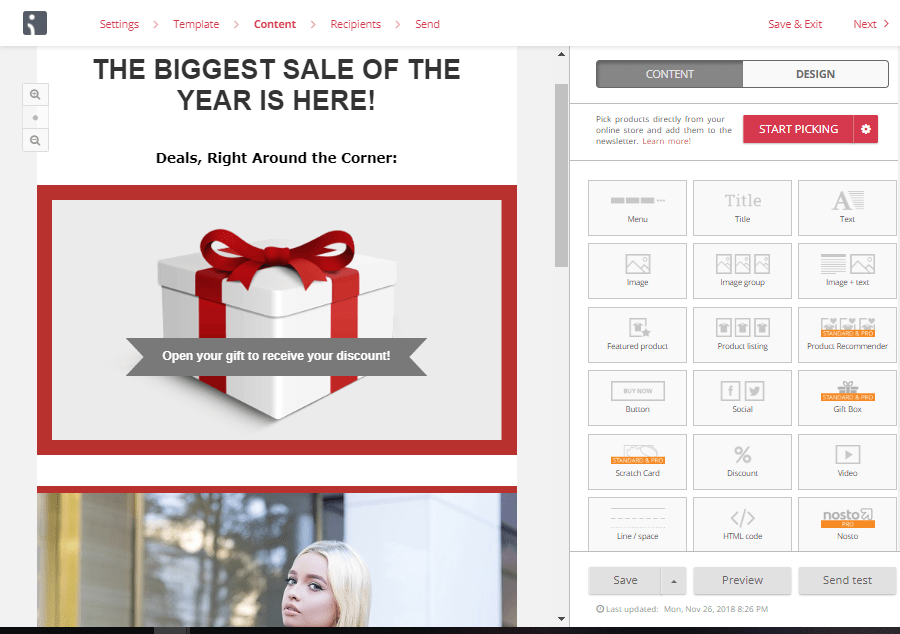
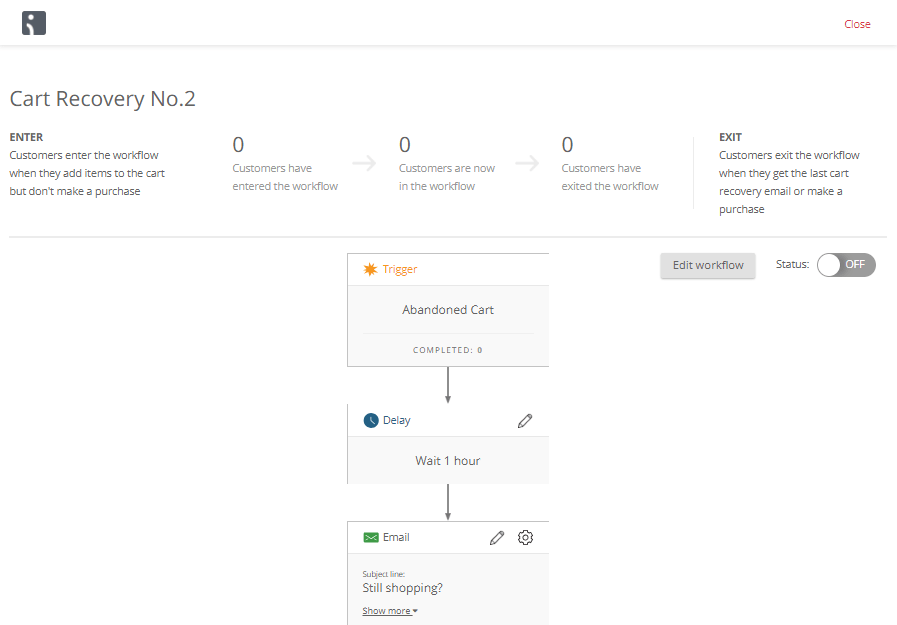
Omnisend is an all-in-one email and marketing automation suite that allows online sellers to create email campaigns in minutes, create complex automation flows, and precisely target their subscribers with smart segmentation.

omnisend workflow klaviyo alternatives

Omnisend is unique in the channels that it includes in its workflows: add SMS to a campaign to pack an extra punch or add Facebook and Google retargeting ads to provide your customers with a truly omnichannel experience.

omnisend email capture klaviyo alternatives

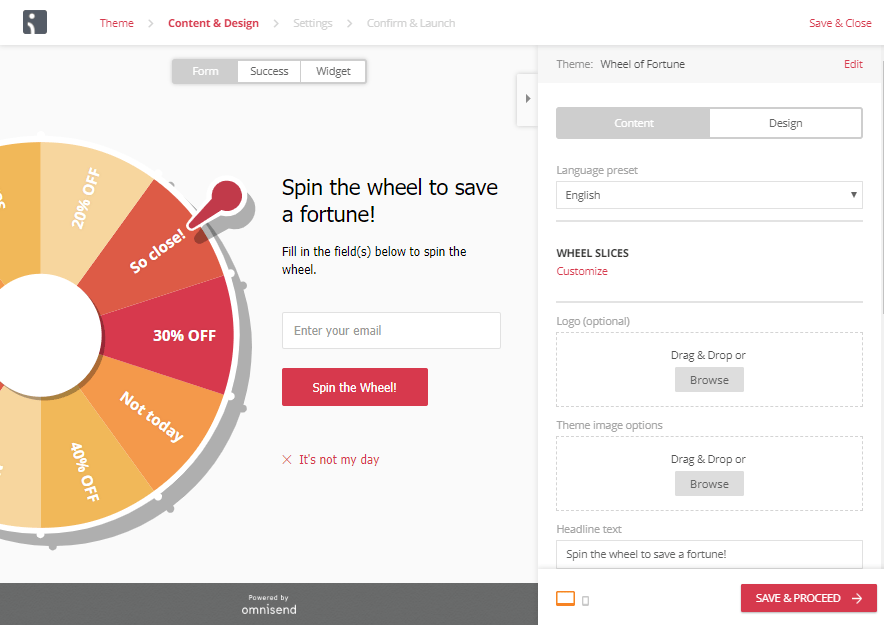
Omnisend is also the only tool in this list that offers dynamic gamification elements to keep your customers engaged. Choose between a gift box or scratch-off card for discounts in the campaign, or build your email list with a wheel of fortune that only spins when an email address is entered.

2. MailChimp

MailChimp campaign klaviyo alternatives

Is Klaviyo or MailChimp better for eCommerce marketing? MailChimp is often touted as a standard in email marketing. It’s true, that in terms of user-friendliness, MailChimp does well with a visual editor and clear tutorials to help you figure out how to use their features.

With an easy-to-use visual editor, MailChimp’s emails are easy to create and customize. They also offer unusual channel integrations, like adding Instagram ads to the usual Google and Facebook ads we see with automation tools. Their automation gets the job done, however, the workflow could be a bit more clear in terms of visualization and editing.

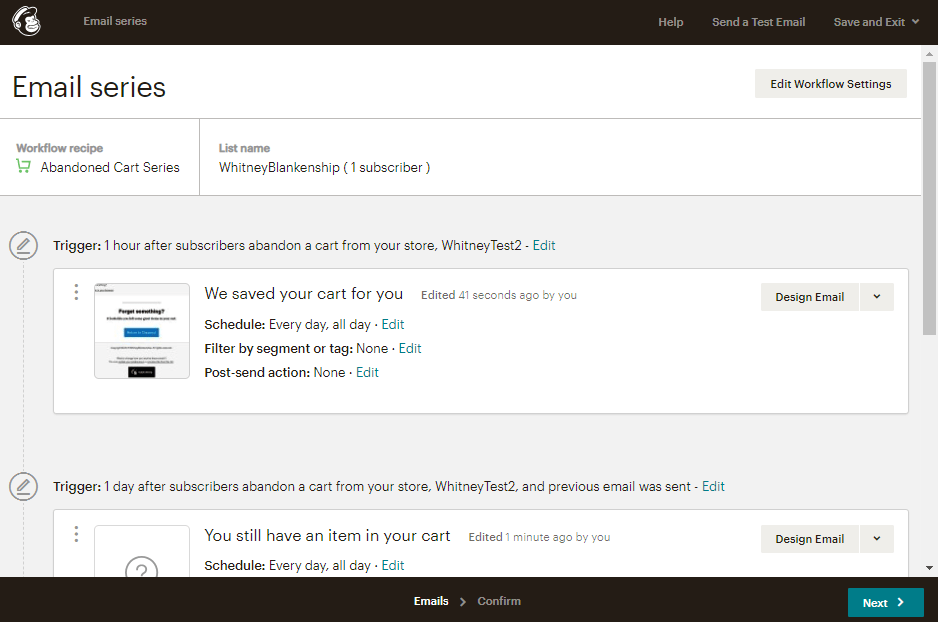
MailChimp workflow klaviyo alternatives

Sometimes, you have to click in a few unexpected places to navigate MailChimp, but there are plenty of tutorials to guide you. For example, to access your automation workflows, you have to go into campaigns, as it’s not it’s own tab in the main menu of your dashboard.

As a Klaviyo Alternative, MailChimp will certainly get the job done, but you might just be surprised at how much you end up paying for the tool.

3. ActiveCampaign

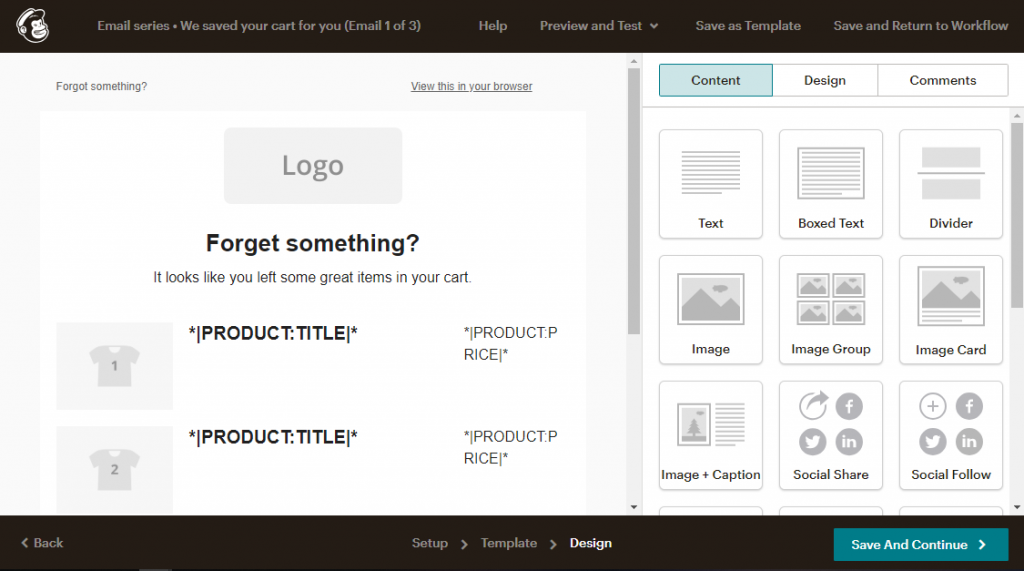
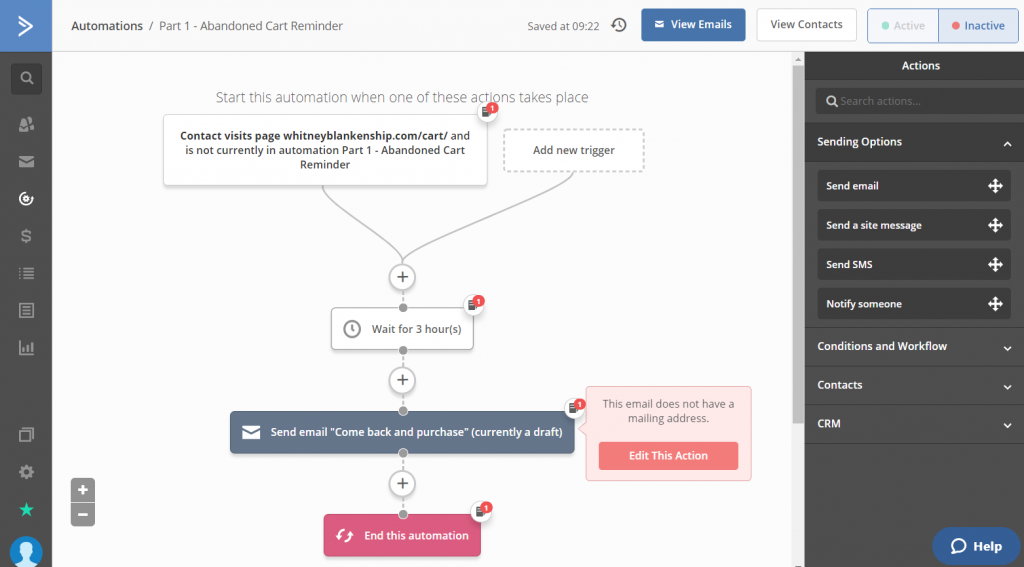
activecampaign workflow klaviyo alternatives

There is no denying that ActiveCampaign is a very powerful tool. However, unlike many tools in this list, ActiveCampaign has the look and feel of a CRM as opposed to an email marketing tool. You feel this right from onboarding- where other tools encourage you to create your first campaign and connect your online store, ActiveCampaign prompts you to add a contact list.

One of the most beneficial things about ActiveCampaign is that it works well if you have multiple domains to manage. As you don’t directly connect one domain to ActiveCampaign, you can choose which domain to assign your campaigns to.

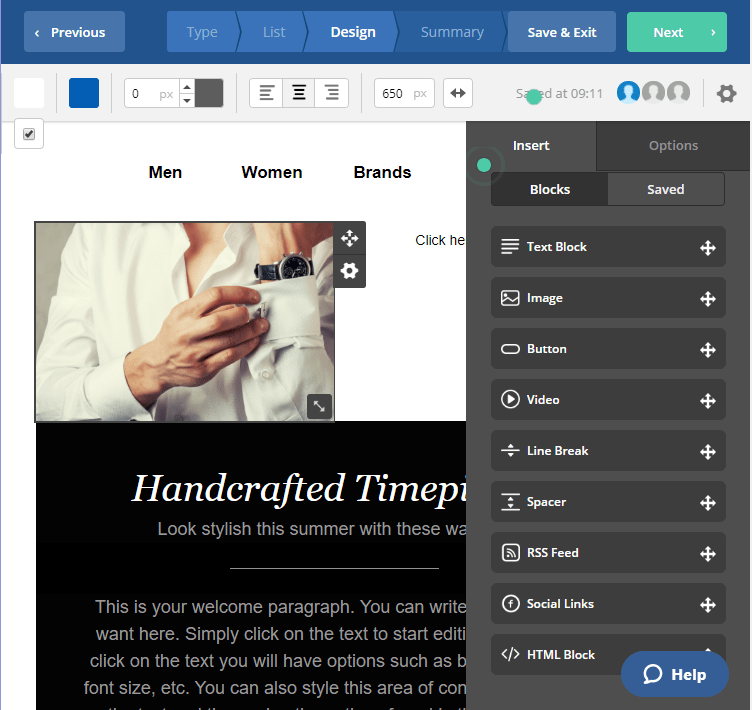
activecampaign campaign klaviyo alternatives

ActiveCampaign joins MailChimp and Omnisend in the best email campaign builders shortlist and integrates with a variety of eCommerce platforms.

However, ActiveCampaign comes with a pretty steep learning curve. If you’re a seasoned marketer with technical knowledge, you shouldn’t have a problem- but it’s not the most user-friendly tool I’ve tested.

All in all, comparing Klaviyo vs. ActiveCampaign, with Active Campaign you’ll have most of the same features, but you’ll have to plan for getting the tool down.

4. Drip

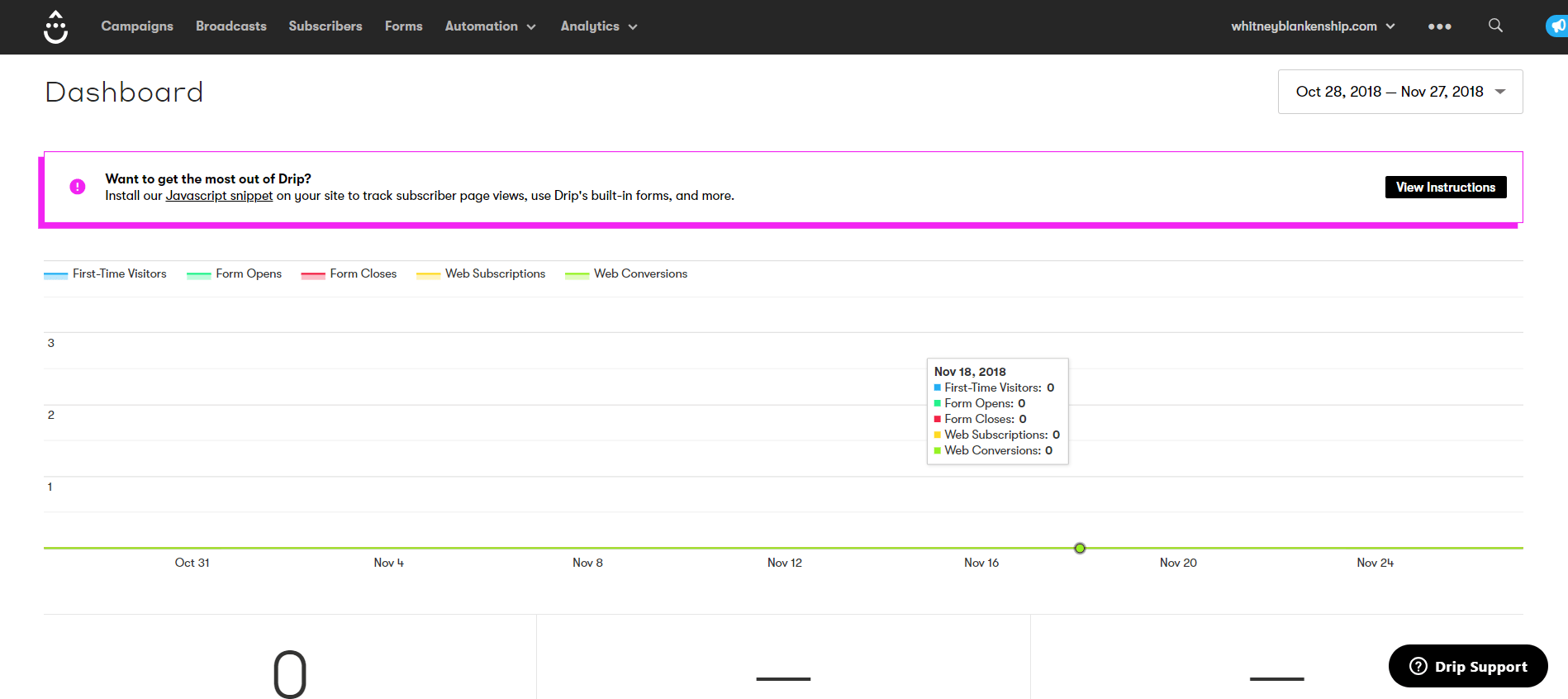
drip dashboard klaviyo alternatives

Drip jumps right in with a very visual interface. With the focus immediately on workflows, Drip proposes a plethora of potential automation to start off with.

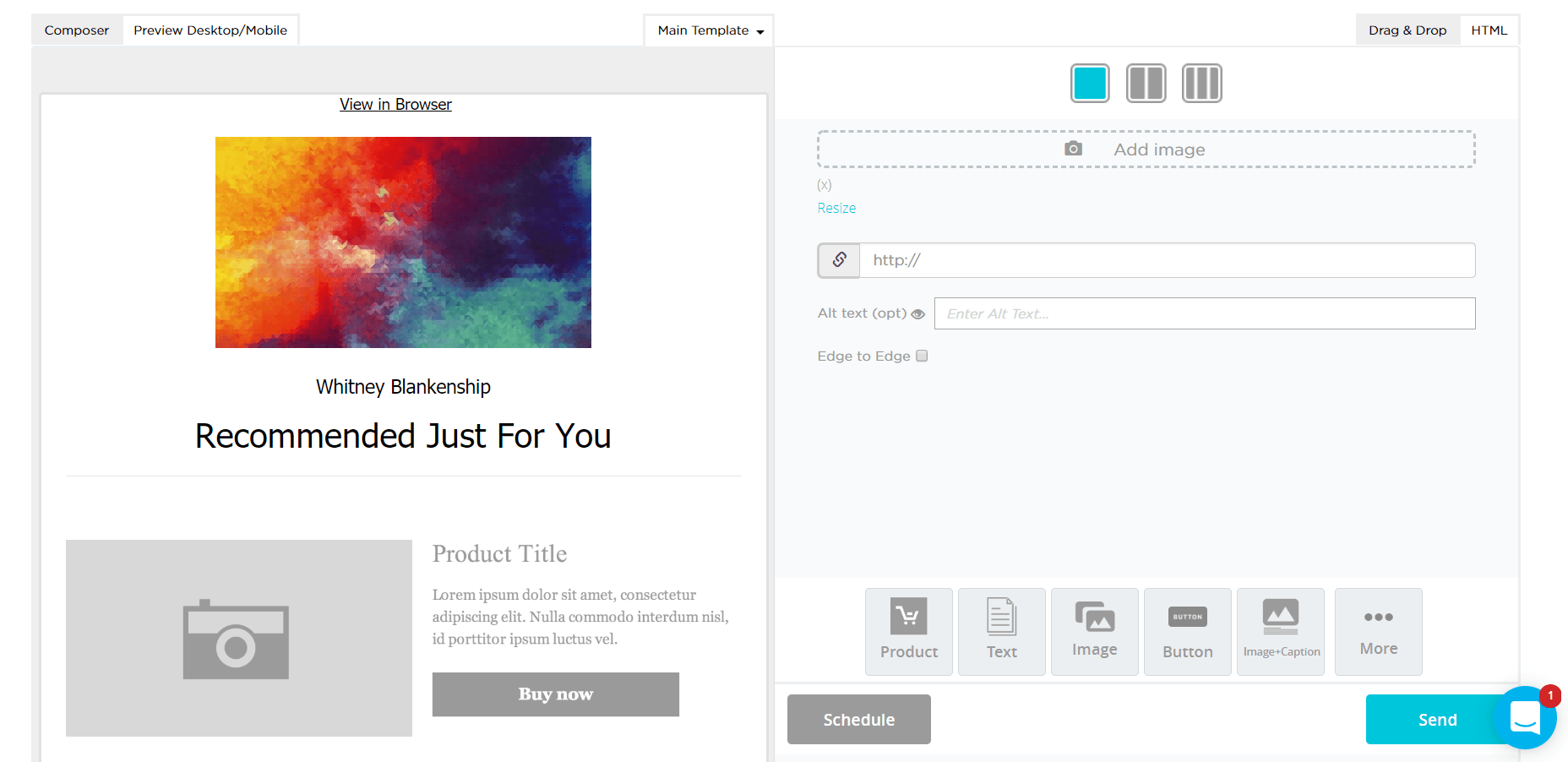
Drip’s visual editor leaves a bit to be desired when compared to other email marketing tools in this list. Unlike most other campaign builders that work based on blocks, emails in Drip are divided into the header, message, and footer, without a whole lot of room to customize in between.

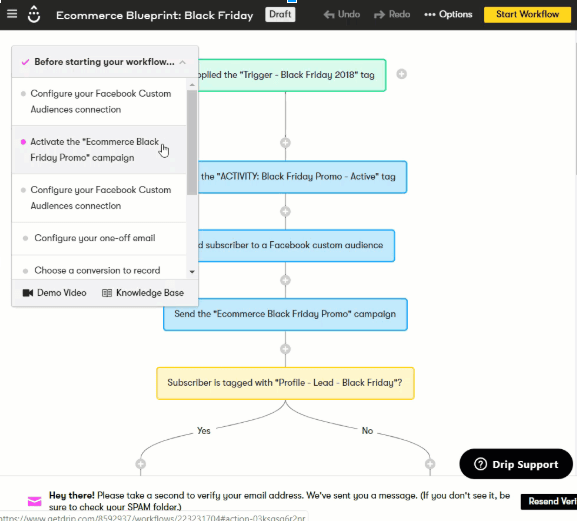
One thing that I do like about Drip is their visual workflow display:

Drip workflow klaviyo alternatives

I like that it’s color coded and you see a clear funnel of communication, which I feel is easier to understand at a glance. But ultimately everything in Drip seems geared towards people who are really just starting out with email marketing and automation.

Drip doesn’t offer many of the features other email marketing tools, but it does offer the potential to have a third party provide it for you. For example, you can’t create landing pages in Drip, but you can integrate other tools like Unbounce and Instapage to get the job done.

So comparing Klaviyo vs. Drip feature by feature, Drip may not measure up as the equivalent alternative to Klaviyo.

However, if you just need some basic things and don’t mind integrating third parties for the rest, it might work for you.

5. SmartrMail

smartrmail campaign klaviyo alternatives

The first impression that I get from SmartrMail is definitely geared towards those who just need a bit of marketing automation and emails, without any of the fancy bells and whistles. It gives you the ability to send basic automated email sequences and create simple popups for email capture.

What’s interesting about SmartrMail is that they propose different auto-updating segments for your email lists, like customers, one-time customers, loyal customers, and at-risk customers.

You can also create your own segments based on profile data, campaign, and shopping behavior.

Unlike other Klaviyo alternatives, SmartrMail is purely an email marketing tool. There is no integration with Google retargeting, no landing pages, no SMS marketing. But if the email is all you need, this might be enough.